Confirm Portfolio and recipients
Verify the Business Portfolio ID, recipient emails, access roles, target GEO and currency before provisioning.

Loading AdShow
Preparing your experience…
Know the fees, access and requirements before you fund
Compare the Facebook account route, fees, Business Portfolio access, asset requirements and lifecycle process before funding. Request the account and track payment, delivery and status from one AdShow dashboard.
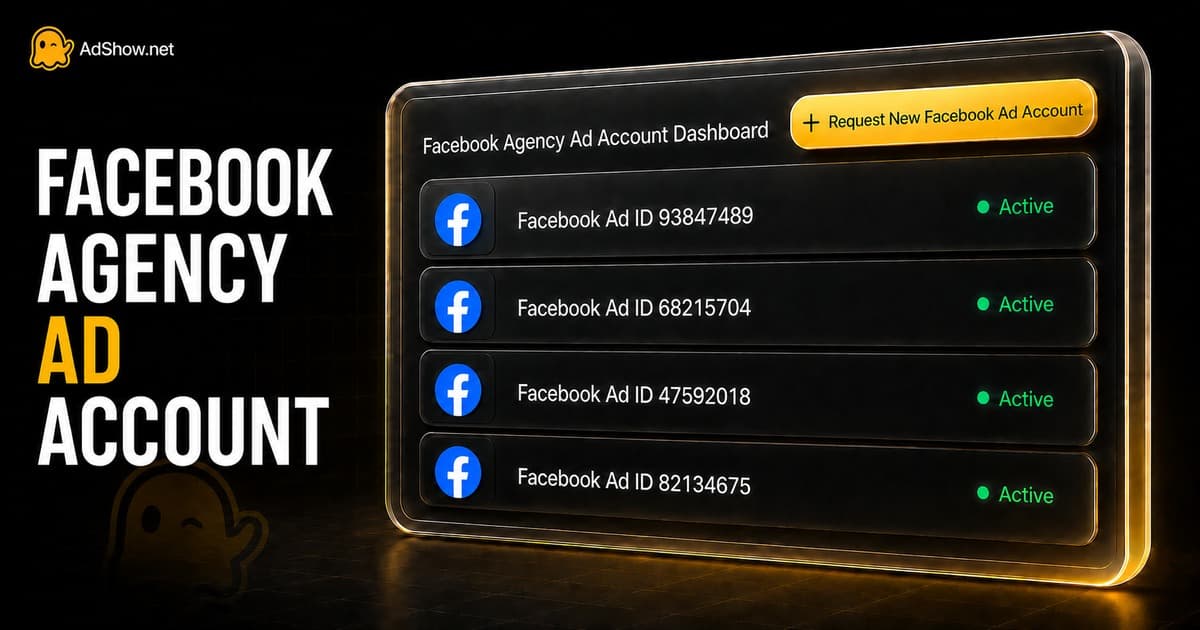
Verify the Business Portfolio ID, recipient emails, access roles, target GEO and currency before provisioning.
Record who controls the Page, Pixel or dataset, domain, catalog, audiences and conversion history.
Separate AdShow wallet funds, assigned ad-account balance and Meta campaign spend in one operating record.
A Facebook agency ad account is supplied through an agency-account service rather than created through your usual self-serve flow. Ads Manager may look familiar, but the operating model is different: account provisioning, business access, billing route and post-delivery support depend on the selected service. For a buyer, the useful question is not simply whether an account is called an agency account. It is which Business Portfolio supplies it, what access is delivered, which assets remain under your control and how funding and later account events are recorded.
AdShow lets you review the available route, submit destination and recipient details, pay from your wallet, follow delivery and report later lifecycle issues from one workspace. Experienced buyers also plan the continuity stack around the account: their Facebook Page, Pixel or dataset, domain, catalog, audiences and conversion history. An ad account can be replaced; those connected assets and the data relationships between them do not automatically rebuild themselves. Preparing that structure before launch reduces the operational damage of changing accounts later.
The account itself is only one part of the decision. Before moving budget, confirm the access route, connected assets, landed cost, transaction record and incident process. This prevents the most expensive surprises: receiving access in the wrong Business Portfolio, discovering that a Pixel cannot be shared as expected, confusing wallet funds with money already assigned to an ad account, or learning the replacement terms only after campaigns stop.
Confirm the Business Portfolio destination, recipient roles, target GEO, currency and exact account route shown in the selected service. A wrong portfolio ID or recipient email can turn a simple provisioning request into a preventable access delay.
Submit the correct recipient and destination information before fulfillment begins. Verify that every recipient can access the intended Business Portfolio and that your team knows who will accept the account assignment.
Decide who should own or control the Page, Pixel or dataset, domain, catalog and conversion data, then verify the required sharing permissions. Keep durable business assets in a structure your team can continue using if the supplied ad account changes.
Review setup, subscription and top-up fees for the selected route instead of relying on a price quoted only in chat. Model the cost against your expected monthly top-up volume; a low setup fee can still become the more expensive route when percentage-based charges compound as spend grows.
Keep the order, wallet payment, fulfillment status, delivered details and later requests connected to one customer record. Treat three numbers separately: funds available in the provider wallet, funds assigned to the advertising account and spend already consumed by Meta campaigns.
First identify the restriction scope: an ad-account restriction, user-access issue, Page restriction and Business Portfolio restriction do not create the same recovery path. AdShow records the report and reviews any replacement, refund or balance request under the selected service terms and eligibility.
Chat remains useful when a specialist needs context, but it is a weak system of record for account operations. Important facts become scattered across messages: which fee was quoted, which Business Portfolio was submitted, who received access, which transfer funded which account and when an incident was reported. AdShow keeps the repeatable workflow in the dashboard and uses Telegram for notifications and human guidance. The result is a clearer operating process for comparing a service, funding an order, tracking delivery and handling later account events.
| Area | Chat-based sourcing | With AdShow | Why it matters |
|---|---|---|---|
| Sourcing | Find, assess, and coordinate account supply across separate conversations. | Choose a listed service and submit one structured request. | Fewer handoffs |
| Payment | Arrange payment separately for each supplier or request. | Use your funded AdShow wallet as the order payment source. | One balance |
| Requirements | Repeat campaign and recipient details in unstructured messages. | Capture the Business Portfolio ID, recipients, roles, Page, Pixel, domain, GEO and currency in the order. | Cleaner briefs |
| Order status | Chase updates across chat threads and supplier inboxes. | Review request and fulfillment status from the dashboard. | Visible progress |
| Account records | Maintain delivered credentials and ownership notes manually. | Keep the account ID, Portfolio destination, asset owners, funding stages and status in one customer record. | Central history |
| Suspension follow-up | Ask what happens only after an issue has already occurred. | Report whether the ad account, user, Page, Portfolio, payment or tracking layer is affected. | Defined next step |
How it works
Sign up and open the workspace where your wallet, Facebook orders and delivered-account records live. Decide which team member will own ordering and which buyers only need campaign access.
Add the balance required for the selected service so payment and the Facebook account request stay connected. Your provider-wallet balance, assigned ad-account balance and campaign spend should be reconciled as separate stages.
Choose the available Facebook account route and prepare the Business Portfolio ID, recipient emails, Page, Pixel or dataset, domain, target GEO, currency, vertical, landing page and expected monthly spend. Complete inputs reduce clarification loops before fulfillment.
Follow fulfillment and verify the delivered account ID, assigned permissions, timezone and currency before launching. Connect durable assets deliberately, begin with controlled campaign changes and use the same account record for later top-up or lifecycle requests.
This workflow is strongest for teams that already understand Meta advertising and need a repeatable way to request, fund and track account infrastructure. It is especially useful when several buyers, brands or GEOs create enough operational volume that chat history is no longer reliable. Before ordering, the team should still have a viable offer, accessible business assets and a launch plan; the supplied account is infrastructure, while campaign economics still come from the offer, creative, audience and conversion path.
Prepare account capacity, Page access and tracking assets before product launches, new storefronts and regional expansion create a last-minute provisioning bottleneck.
Keep funding, recipients, account IDs and delivery records organized while several buyers test creatives, scale spend and rotate campaign responsibilities.
Separate client destinations, recipients, balances and account requests so one client's operational history is not buried inside another supplier thread.
Surface landing-page, domain, data-sharing and account-route questions before fulfillment rather than discovering a structural mismatch after launch.
Prepare separate requests as campaigns expand into additional GEOs, currencies, timezones, asset structures and funding requirements.
Move eligible offers into a repeatable account-ordering workflow while keeping each offer's destination, assets, funding record and account status easier to trace.
Unlimited spend. Unlimited replacements.
Take your chance now. Unlock unlimited ad spend and unlimited account replacements without chasing multiple account suppliers.

$0
Select PlanAccepted Niches
Core features:
Upgrade or change plans anytime from your dashboard.

$149/month
Select PlanAccepted Niches
Free Extras:
Core features:
Upgrade or change plans anytime from your dashboard.

$499/month
Select PlanAccepted Niches
Free Extras:
Core features:
Upgrade or change plans anytime from your dashboard.

$1,499/month
Select PlanAccepted Niches
Free Extras:
Core features:
Upgrade or change plans anytime from your dashboard.
Unsure where to begin?
Talk with one of our specialists and get matched with the right account setup.
 Message us on Telegram
Buyer experiences
See how founders, media buyers and growth teams describe the ordering, funding and support workflow.
“AdShow gives us a predictable account access workflow. We can move faster without losing days to sourcing and replacements.”
Oliver Brocato
Founder, ecommerce software
Ecom King
E-commerce mentor
Watch on YouTube →
“For high-volume media buying, reliability matters more than hype. This is the cleaner way to manage account supply.”
Max Sturtevant
Agency founder
“We stopped treating ad accounts like a side quest. The wallet and order flow made the process easier to hand off.”
Maya Shin
CMO, ecommerce brand
“What sets them apart is how quickly support understands paid traffic problems and gets us moving again.”
Kellie Weed
CMO, growth team

Larry Shertz
Media buyer
Watch on TikTok →
“Clear ordering, clear funding, and clear status. That alone saved our team hours every week.”
Jennifer Smith
Director, beauty brand
“AdShow gave us a better acquisition workflow by putting account access, wallet funding, and fulfillment in one place.”
Talha Afzal
Head of growth
“They did not just generate account access; they helped us think commercially about where to scale next.”
Chris Sherlock
VP revenue
Gabi Balbuena
Founder, agency
Watch on YouTube →
Larry Shertz
Media buyer
Watch on TikTok →
“Clear ordering, clear funding, and clear status. That alone saved our team hours every week.”
Jennifer Smith
Director, beauty brand
“AdShow gave us a better acquisition workflow by putting account access, wallet funding, and fulfillment in one place.”
Talha Afzal
Head of growth
“They did not just generate account access; they helped us think commercially about where to scale next.”
Chris Sherlock
VP revenue
Gabi Balbuena
Founder, agency
Watch on YouTube →
“AdShow gives us a predictable account access workflow. We can move faster without losing days to sourcing and replacements.”
Oliver Brocato
Founder, ecommerce software
Ecom King
E-commerce mentor
Watch on YouTube →
“For high-volume media buying, reliability matters more than hype. This is the cleaner way to manage account supply.”
Max Sturtevant
Agency founder
“We stopped treating ad accounts like a side quest. The wallet and order flow made the process easier to hand off.”
Maya Shin
CMO, ecommerce brand
“What sets them apart is how quickly support understands paid traffic problems and gets us moving again.”
Kellie Weed
CMO, growth team
You receive access according to the account route and service terms shown before ordering. AdShow connects the request, wallet payment, fulfillment status and delivered-account record in one workflow. Exact ownership, permissions and requirements depend on the selected service.
No. Meta controls auction delivery, reviews and enforcement. An agency account does not guarantee lower CPM, approval, campaign performance or account lifespan. The practical value is the selected access, funding and lifecycle workflow.
Create an AdShow account, review the available Facebook service and prepare the requested Business Portfolio destination, recipients, campaign context and other setup details. Fund your wallet only after reviewing the current fees and terms.
Ownership and access depend on the selected service and asset setup. Before funding, verify which assets remain under your control, which permissions must be shared and what happens to access if the service ends. Delivered-account information remains connected to the AdShow order record.
First review the restriction scope and follow Meta's available review process. You can also report the incident through AdShow for verification. Any balance action, replacement or refund is reviewed under the selected service terms and eligibility; it is not automatic.
Compare current Facebook account routes, fees, Business Portfolio requirements and asset permissions before ordering. AdShow is a self-service platform for requesting, funding and tracking agency ad accounts for Meta/Facebook, Google Ads, TikTok, Microsoft Advertising, Taboola, Outbrain and Snapchat.