Facebook Account Hacked? What to Do Before You Lose Your Page, Business Manager and Ad Accounts
Facebook account hacked or phished? Follow this incident-response order to secure your login, Page, Business Manager, ad accounts and payment methods

August 9, 2026
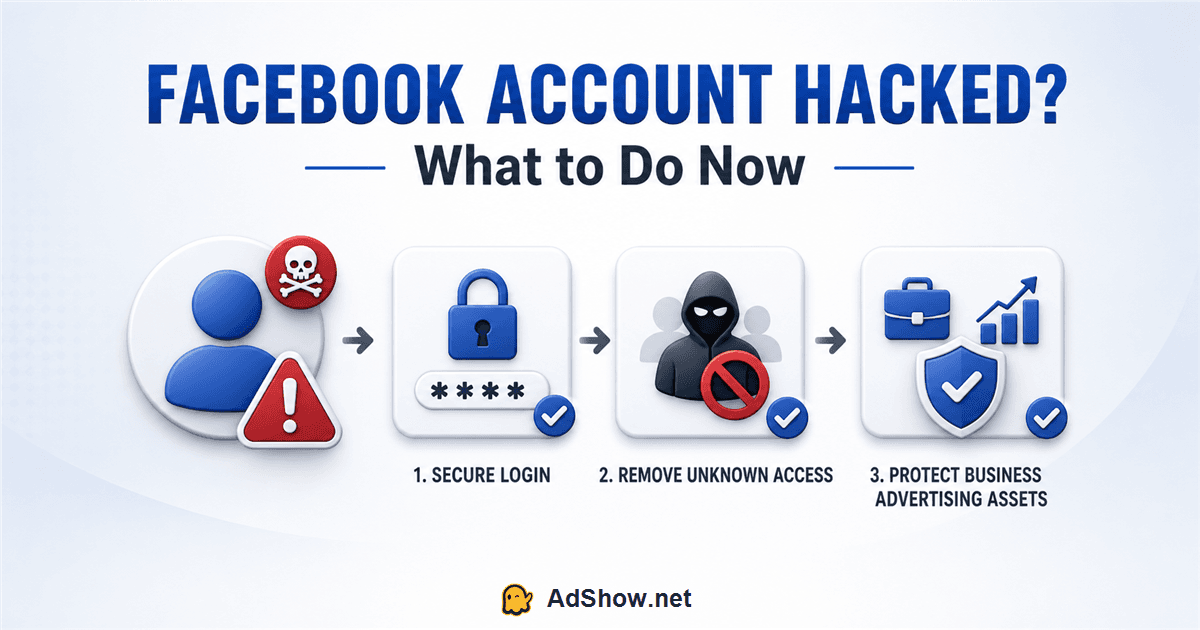
Table of contents
If your Facebook account was hacked, the first objective is not to write the perfect support appeal. It is to stop the attacker from retaining access long enough to reach your Page, Business Portfolio, ad accounts, Pixels and payment methods.
The correct response depends on what the attacker has already obtained. Someone who only opened a phishing email needs a different checklist from an advertiser whose password, two-factor code and Business Manager permissions have already been compromised.
After helping media-buying teams untangle access and account incidents, I use this order:
Secure the email → contain the Facebook profile → remove persistence → audit business assets → control spend → preserve evidence → recover missing access.
Do not begin by creating another Facebook profile or repeatedly submitting unrelated forms. First establish which identity and assets are still under your control.
The first 15 minutes: do these actions in order
If you can still access Facebook, use a device you trust and work through these steps immediately:
Secure the email account connected to Facebook, including its password, recovery email, phone number, forwarding rules and active sessions.
Change the Facebook password to a unique password not used anywhere else.
Use Facebook’s security tools to review and close sessions you do not recognize.
Check whether the attacker added or changed an email address, phone number, passkey or two-factor authentication method.
Review recent Facebook activity, connected apps and browser extensions.
Tell another trusted business administrator to inspect Page and Business Portfolio access from a separate account.
Pause or control unexpected advertising activity if an authorized admin still can.
Save screenshots, timestamps, account IDs, campaign IDs, payment receipts and Meta case numbers.
If you cannot log in, go directly to facebook.com/hacked from a device and browser previously used with the account. Meta recommends this route for a compromised personal account. If a Page was taken over, use Meta’s dedicated hacked-Page recovery process rather than treating it only as a password-reset problem.
First determine how far the compromise went
You only received or opened the phishing email
Opening an ordinary email does not normally reveal your Facebook password. Do not click again to investigate. Report the message, block the sender and warn anyone who uses the same support inbox.
You opened the external page but entered nothing
Close it. Check whether the site downloaded a file, requested notification permission or asked you to install an extension. If it did, scan the device and remove the suspicious software before changing credentials.
You entered contact or identity information
Expect a second-stage attack. The attacker now has details that can make future emails and calls sound more credible. Notify the team that the information may be used for targeted recovery scams.
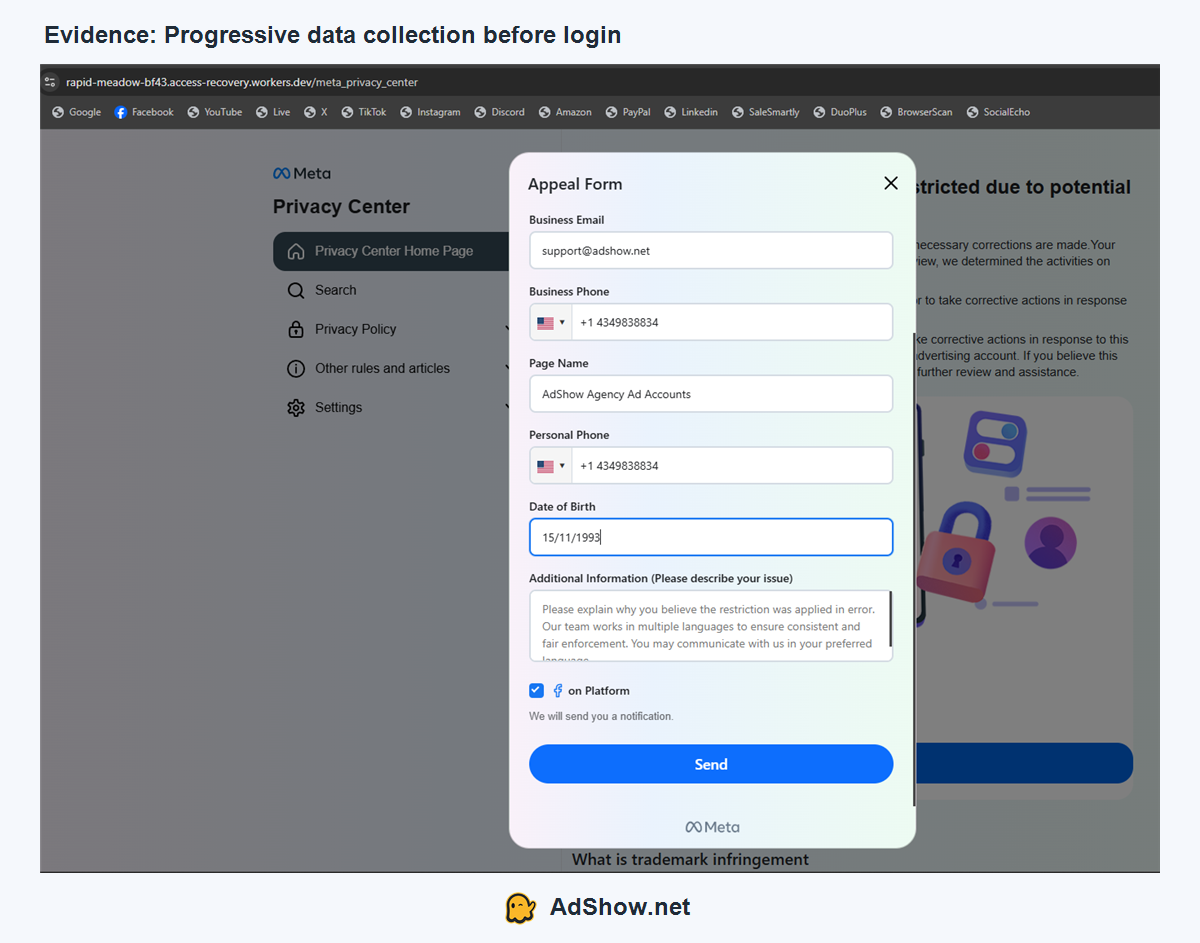
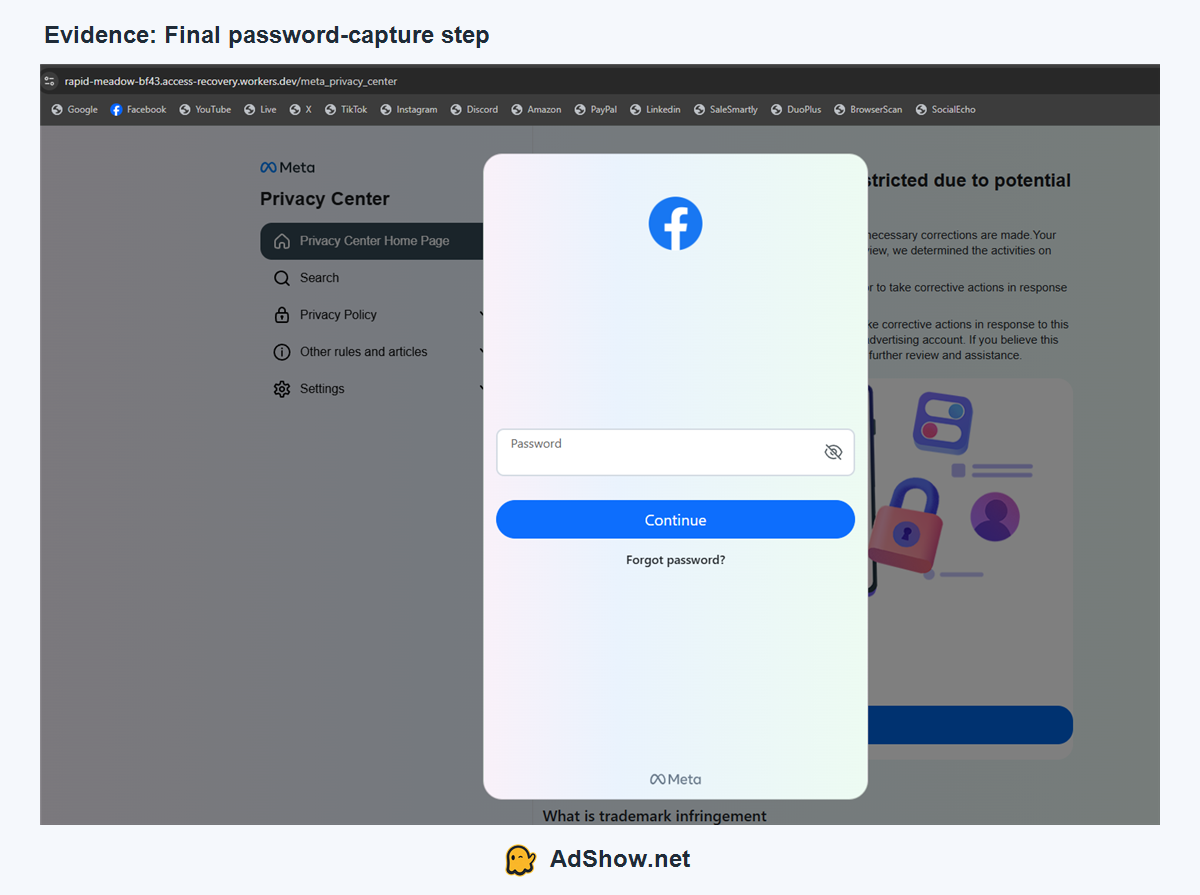
The phishing form observed by AdShow collected business email, business phone, Page name, personal phone and date of birth before displaying a password field:
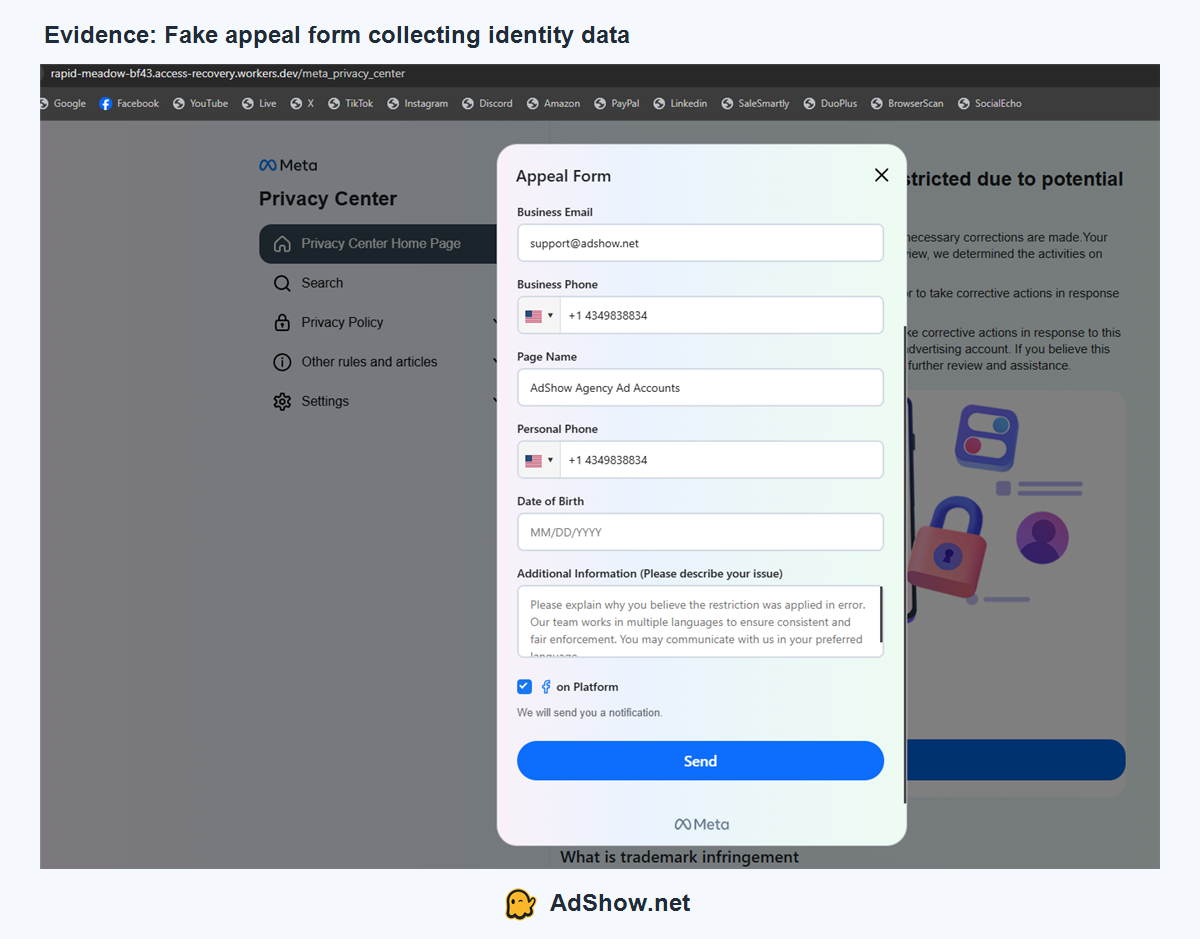
This is a deliberate trust-building sequence. Each completed field makes the next request feel like part of one official workflow.
You entered your Facebook password
Treat the password as compromised even if nothing appears to happen. Change it from a clean device and secure the connected email. Do not simply add a number to the old password; use a completely new, unique credential.
You entered a two-factor code or approved a login
Assume the attacker may have an active session. A password change is necessary, but it is not the end of the response. Review sessions, authentication methods, connected applications, business users, partners and asset permissions.
You lost access to the Facebook profile
Use Facebook’s hacked-account flow. Check the original email inbox for notifications that the Facebook email, password or other account information changed; Meta may provide a way to reverse an unauthorized email change. Avoid “recovery experts” who contact you through comments, direct messages or Telegram and request money or credentials.
Secure the email account before repeating Facebook recovery
The connected inbox is often the real recovery key. If an attacker controls it, they may reset Facebook again after you regain access.
Audit:
active email sessions and recognized devices;
recovery addresses and telephone numbers;
forwarding and filtering rules;
third-party application passwords;
recent password-reset messages;
deleted, archived and spam folders;
the password on any other service where it was reused.
Enable strong multi-factor authentication on the inbox. Do not rely solely on the fact that Facebook has 2FA if the same attacker can read the email used for recovery.
Contain the personal Facebook profile
Once the inbox is secure, inspect the profile that grants business access.
Change the password and review sessions
Use a password manager-generated credential. Close unrecognized sessions and pay attention to devices, locations and login times that do not match the team’s activity.
Rebuild two-factor authentication
Confirm that the enrolled phone, authenticator or security key belongs to you. Save new recovery codes somewhere protected. If the attacker saw a one-time code, do not assume the existing 2FA setup is still trustworthy.
Review connected applications
Remove apps you do not recognize or no longer use. If the incident involved a browser extension, trendy desktop tool or downloaded “business document,” scan every device used to access Facebook. Meta specifically warns that credential-stealing malware can be disguised as browser extensions and applications.
Check recent account activity
Look for messages, posts, Page actions, friend requests or changes you did not make. The objective is to find both the entry point and any persistence the attacker established.
Audit the Page and Business Portfolio separately
Recovering the personal profile does not prove that business assets are clean. Meta distinguishes profiles, Pages, Business Portfolios, ad accounts and other assets. Inspect each scope.
From a trusted administrator account, review:
people with full control and partial access;
business partners and their assigned assets;
Page ownership and Page access;
ad accounts and permission levels;
Instagram accounts, Pixels, datasets, catalogs and domains;
system users and integrations;
business notifications and recent changes.
Remove unknown access only after capturing evidence. If your own permission was downgraded, ask a known full-control admin to take action rather than attempting risky workarounds.
Meta’s hacked-Page guidance describes a common takeover: an attacker steals an administrator’s password, adds themselves to the Page and removes the legitimate person. Meta advises reviewing the Page and business portfolio and undoing changes you do not recognize.
For a preventative access model, see our guide to protecting Facebook Business Manager access before an administrator is hacked, disabled or removed.
Check ad accounts and payment exposure
An attacker may care more about available advertising spend than the public profile. Review every ad account the compromised person could access.
Record and inspect:
active, scheduled and recently deleted campaigns;
large budget changes;
unfamiliar creatives, URLs, Pages and targeting;
newly added users or partners;
billing thresholds, account spending limits and payment methods;
invoices and charges outside normal patterns;
automated rules that could restart delivery;
account-level restrictions caused by the malicious activity.
If another legitimate administrator retains control, pause unauthorized campaigns and remove unknown access. If you cannot control spend, notify the payment provider and open the appropriate Meta support case. Do not state that every disputed advertising charge will automatically be refunded; outcomes depend on the investigation, payment method and applicable terms.
Media-buying teams should keep an external record of account IDs, ownership, funding events and approved administrators before an incident occurs. AdShow provides a self-service dashboard through which teams can review available Facebook agency ad account options and manage account requests, top-ups and incident reporting alongside Google Ads, TikTok and other major advertising platforms. Agency account access does not make an advertiser immune to phishing, hacking or platform enforcement; its operational value is clearer control and visibility than an account lifecycle handled only through chat.
Preserve a recovery evidence pack
Support cases become harder when the story changes across several messages. Prepare one concise incident record containing:
original profile URL and the email previously attached;
Page URL and Page ID;
Business Portfolio ID;
affected ad account IDs;
approximate compromise time and timezone;
screenshots of unauthorized users, campaigns and changes;
suspicious sender addresses and defanged URLs;
payment receipts and unexpected charge references;
steps already completed;
every Meta case number.
Describe facts rather than theories. “Unknown user X was added at 14:32 UTC and my access changed from full control to basic” is more useful than “everything was hacked.”
Avoid opening many duplicate appeals unless Meta explicitly instructs you to do so. Keep one timeline and add evidence through the appropriate case path.
If the Page or Business Manager is already gone
When the attacker removed all legitimate administrators, normal settings may no longer be available.
Recover the compromised personal Facebook profile through the official hacked-account flow.
Submit Meta’s hacked-Page recovery request if Page control was taken.
Identify any trusted administrator who still has access to the Business Portfolio or assets.
Ask that administrator to preserve logs, pause unauthorized campaigns and remove unknown access where permissions allow.
Provide ownership and business documentation only through official Meta processes.
Track the case number and maintain a single incident chronology.
Community discussions repeatedly describe advertisers losing Pages, Pixels, audiences and active campaigns when the only full-control administrator is compromised or disabled. Some report long review periods. These reports show why backup administration matters, but they do not establish a standard recovery time or guaranteed outcome.
How this incident begins: the AdShow case study
The response plan above is based partly on a phishing funnel documented directly by AdShow. The attackers used fake business-verification and copyright emails, cloned Meta-style policy pages, progressively collected identity data and then requested the Facebook password.
Read the complete investigation: How Facebook Accounts Get Hacked Through Fake Meta Emails.
The two articles intentionally serve different searches. The investigation owns how Facebook accounts get hacked; this page owns Facebook account hacked—what to do.
Prevent the next takeover
After access is restored, do not merely return to the old setup.
Keep at least two trusted full-control administrators.
Give every worker an individual login and the minimum necessary permission.
Remove former employees and expired agency partners promptly.
Protect email and Facebook with strong, independent authentication.
Enable business-change notifications.
Maintain an offline asset register and recovery contact list.
Require a second person to verify urgent policy or copyright notices.
Never verify an email through the link inside that same email.
Review users, partners, integrations and payment activity on a schedule.
The best recovery procedure is one rehearsed before the sole administrator disappears.
Frequently asked questions collected from advertiser communities
These questions reflect recurring concerns reported across Reddit, Facebook advertising communities and support forums. Community experience helps identify operational failure patterns, but Meta’s official recovery paths should remain the source for account-specific action.
What should I do first if my Facebook account is hacked?
Secure the connected email, then use Facebook’s compromised-account process, change the Facebook password, close unknown sessions and review recovery details. If the profile controls business assets, ask another trusted administrator to inspect them simultaneously.
What if the hacker changed my Facebook email and password?
Check the original inbox for Meta notifications about the email change and use the official hacked-account flow from a previously used device. Do not pay someone in a comment or private message who claims to have an internal recovery contact.
Can changing my password remove the hacker from Business Manager?
Not necessarily. It helps contain the personal profile, but the attacker may have added another person, partner or integration to the business. Audit the Business Portfolio, Page and every advertising asset separately.
What if I still have Facebook but lost my Page?
Use Meta’s hacked-Page recovery route and inspect whether your Page access or business ownership changed. A functioning personal profile does not guarantee that Page control remains intact.
What if unauthorized Facebook ads are still spending?
If a legitimate administrator still has control, pause the campaigns, capture evidence and remove unknown access. Otherwise contact the payment provider and Meta through the relevant compromised-account or business-support process. Preserve invoices, ad account IDs and campaign details.
How long does Facebook hacked-account recovery take?
There is no dependable universal timeline. It depends on whether the personal profile, Page, Business Portfolio and ad accounts were affected, what verification Meta requires and whether access remains with another trusted administrator. Treat any third party promising guaranteed recovery within a fixed time as high risk.
Should I create a new Facebook account immediately?
Not as the first response. A new profile does not automatically restore ownership of the original Page or Business Portfolio and may complicate the record. Begin with official recovery and inventory the assets still controlled by trusted administrators.
Final recovery rule
When a Facebook account is hacked, work from identity outward. Secure the email, then the personal profile, then the Page and Business Portfolio, then ad accounts and payments. Do not assume that restoring one layer repairs the others.
Move quickly, but preserve evidence before removing suspicious access. The goal is not only to log back in. It is to remove every path the attacker could use to return.