Google Ads Payment Threshold: Why You're Charged Again
A Google Ads payment threshold triggers collection of an accrued balance. It is not a spending limit or extra fee. Learn how to reconcile repeated card charges safely.

September 5, 2026

Table of contents
The Google Ads payment threshold triggers collection of your accrued advertising balance; it is not a spending limit and does not add a separate account fee. Google can charge on the threshold and on the first day of the month. To explain a repeated card debit, reconcile its status, date, currency, account and Google transaction before assuming duplicate billing.
Google's current English help uses postpay for what many advertisers still call automatic payments: ads run first, then Google collects the balance. The threshold is the point at which collection is normally attempted. It does not cap campaign spend, guarantee a particular monthly bill, or mean that every bank debit represents current-month campaign cost.
Why another charge can be normal
A second charge may reflect timing rather than a second charge for the same clicks. Google says postpay collections can occur when the account reaches its payment threshold and again on the first day of the month. An unpaid balance can carry forward, and taxes, fees, credits, adjustments or a previous balance can change the amount collected. A threshold can also be slightly exceeded when costs accrue quickly. See Google's automatic payment guidance for the provider's explanation.
That is separate from your campaign budget. A daily budget controls planned delivery; the payment threshold controls when Google asks for money. Bank authorization is a third, separate event: a card entry marked pending may be a temporary authorization, while a posted or settled entry is a completed bank transaction. Neither status alone tells you which campaigns produced the balance.
Do not assume there is a universal $500 threshold. Thresholds and available payment arrangements vary by account and circumstances. The amount shown in your account, not an internet example, is the useful starting point.
How to check the actual threshold
In the Google Ads interface, open Billing > Summary and look for the current payment threshold. Google also says that eligible advertisers may find Billing > Settings > How you pay > Edit threshold. If the edit option is absent, that route is not available for the account at that time; do not treat its absence as a billing error. Threshold eligibility and payment options can depend on country, currency and account eligibility.
The threshold may rise over time for some accounts, but there is no guaranteed increase and no universal request amount that Google must approve. Check the displayed threshold before comparing two charges. Also check whether the account uses postpay, prepay or monthly invoicing: the available route depends on country, currency and eligibility, as explained in Google's payment settings guidance.
Is it pending, posted, or a different account?
Start with the bank entry's status. If one entry is pending, compare it with Google Ads transactions but do not count it as a settled duplicate yet. A pending authorization can remain visible while a payment is being processed. If you manually pay while an automatic charge is already in progress, both actions may appear close together. Google's unidentified-charge troubleshooter recommends matching bank and Google records and separating pending authorizations from settled transactions.
Record the Google customer ID and the exact Google Ads account, then confirm that the card entry belongs to that account rather than another account, manager account or business card user.
For every bank entry, record its status, amount, currency and bank posting date. A pending entry and a posted entry for the same amount are not automatically two completed charges.
Open Google Ads billing transactions and record the Google transaction date, amount, currency and reference. Match the bank record by more than amount alone.
If both bank entries are posted but only one appears in Google Ads, compare references, posting dates and account details. Then ask your bank and Google Support to trace the unmatched transaction.
If a charge is unauthorized, contact the bank promptly and secure the Google account and payment method. Do not wait for a pending entry to become settled before taking protective action.
A short Reddit discussion from July 16–18, 2026 illustrates a related confusion: one advertiser connected repeated site visits and possible duplicate clicks with repeated charges, while commenters disagreed. It is an anecdote, not evidence of duplicate card settlements, overcharging or a verified Google cause. Click activity and card settlement records need separate reconciliation.
A worked example without double-counting
The following is a plainly hypothetical reconciliation, not an invoice and not a universal Google threshold. Assume a stable $400 threshold, $950 in net advertising costs, and two settled $400 payments. Assume there are no taxes, credits, fees or previous balance.
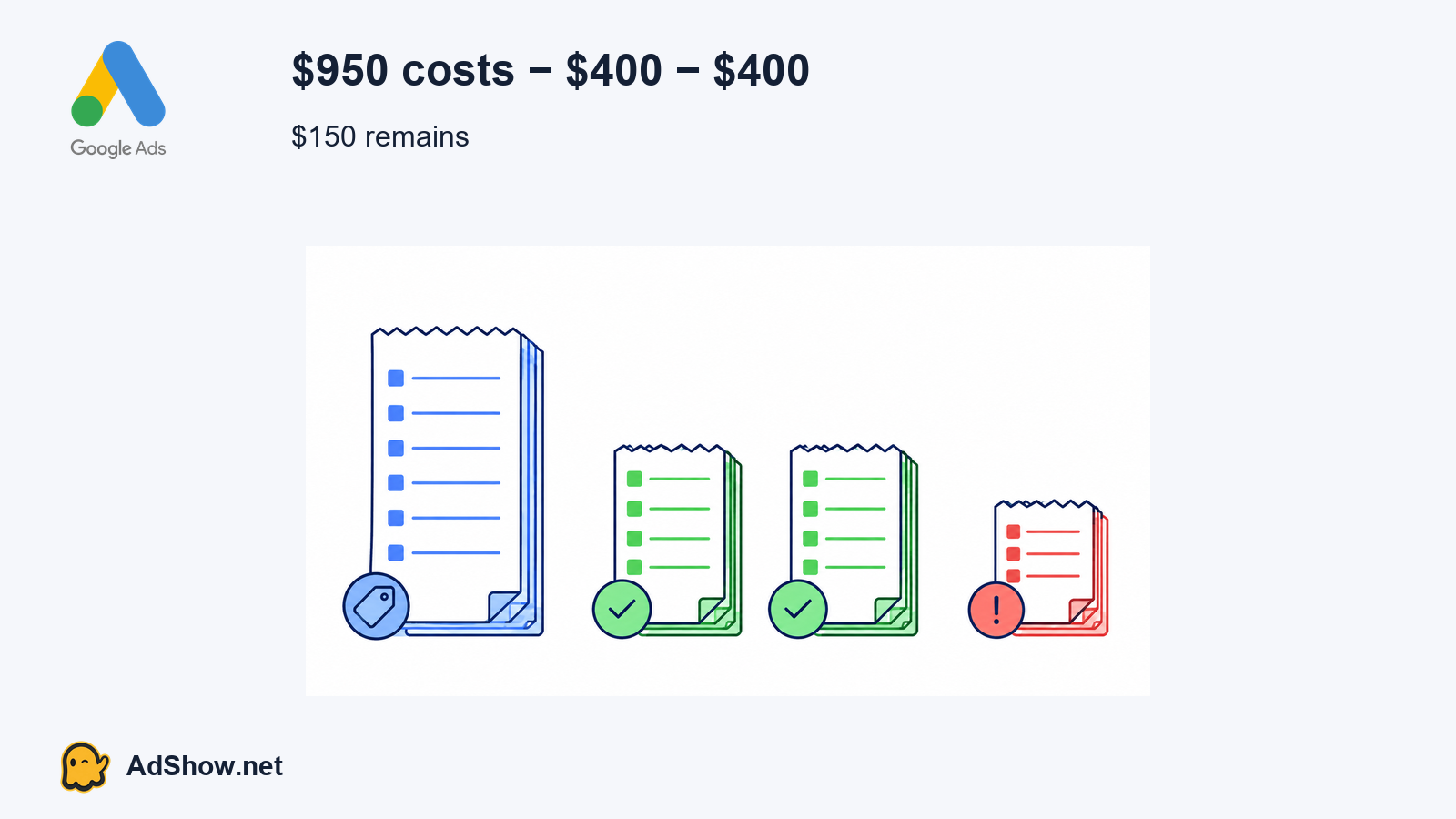
The first $400 collection occurs when accrued costs reach the threshold. Costs then continue. The second $400 collection can occur when the next threshold is reached or at the first-of-month settlement, depending on timing. The two settled payments total $800, leaving $150 of net costs not yet covered by those payments. The arithmetic is:
$950 net costs − $400 first payment − $400 second payment = $150 remaining balance
$400 + $400 = $800 collected; the same $400 should not be counted twice merely because it appears in two reconciliation views
The $150 is not proof of an additional card charge; verify the next Google transaction and its status before drawing that conclusion
In a real account, the result may differ because taxes, fees, credits, adjustments, a carried balance, currency conversion or a threshold that changed over time can affect the collection. That is why all bank debits must not be equated with current-month campaign cost. Reconcile Google transaction records against bank settlement records first.
Can you change it?
Sometimes, but not universally. If Edit threshold is available under Billing > Settings > How you pay, review the offered value and the account's eligibility before saving. If it is not available, changing the daily budget, adding a card or making a manual payment does not create a higher threshold.
A higher threshold would change collection timing, not the amount your campaigns are allowed to spend. It also would not erase an outstanding balance or prevent a first-of-month charge. AdShow's editorial judgment is to change the threshold only when your reconciliation and cash-flow process can handle a larger single collection; do not pursue it as a fix for an unexplained duplicate.
AdShow editorial note: the safest decision is status-based. Pending versus posted determines whether you are investigating an authorization or a completed debit; matched versus unmatched determines whether Google Ads, the bank or both need to be contacted. Same amount alone does not prove duplication.
When an agency billing route helps
An agency route can help when several people need controlled records for requests, funding and account operations, rather than because it changes Google's threshold rules. AdShow's Google agency account service supplies account requests, funding and lifecycle records through a dashboard; access, billing and asset rights depend on the selected route. It does not guarantee approval, a higher threshold, lower costs or a way around Google policy.
Use Google Support when the Google customer ID, transaction reference or account-level billing record is unclear. Use the bank promptly for an unauthorized charge or a persistent duplicate authorization. When contacting either party, send this compact support pack and redact full card numbers and unrelated transactions:
Google customer ID
Charge status: pending or posted
Amount and currency
Bank posting date
Google transaction and date
Matched or not matched
Include screenshots only after removing full card details, unrelated transactions and other personal information. If the issue is actually a declined payment, use the separate Google Ads payment-declined billing guide rather than treating it as a threshold investigation. If you are checking a prepaid balance instead, see the agency ad account prepaid balance guide.
Need an operational billing route for Google advertising accounts? Review how AdShow handles account requests, funding and lifecycle records. Explore AdShow Google agency accounts
Frequently asked questions
Is the Google Ads payment threshold the same as my campaign budget?
No. The threshold controls when Google collects an accrued balance. Your campaign budget controls planned ad delivery. A higher threshold does not cap or reduce campaign spending.
Can every advertiser edit the Google Ads payment threshold?
No. Google shows an Edit threshold option only for eligible accounts. Check Billing > Settings > How you pay. Country, currency and account eligibility can affect what is available.
Why did a manual payment appear near an automatic charge?
A postpay charge may already be in progress when you make a manual payment. Check whether each bank entry is pending or posted, then match both against Google transaction records before counting them as separate settled charges.
Does an agency have its own Google Ads payment threshold?
The threshold is determined by the relevant Google billing arrangement and account eligibility, not simply by using an agency. Ask the agency and Google to identify the exact billing route and account responsible for each transaction.
Sources and scope
Sources below identify the basis and limits of the guidance. Individual reports are not proof of a platform-wide cause.
Google Ads automatic payment charges — Official page read September 5 2026: threshold collections plus first day of month; outstanding balance, country taxes/fees and adjustments affect amount; repeated collections can be valid. Use <=150 derived words.
Google Ads postpay and threshold settings — Official English page read September 5 2026: current threshold in Billing Summary; eligible advertisers can edit via Billing > Settings > How you pay > Edit threshold; option is not universal. Threshold can increase, slightly exceeded with fast accrual. Use <=180 derived words.
Google Ads payment settings — Official English page read September 5 2026: postpay formerly automatic, prepay formerly manual, monthly invoicing; available route depends on country/currency/eligibility. Use <=150 derived words.
Google unidentified-charge troubleshooter — Official page read September 5 2026: distinguish pending authorization and settled charges; automatic charge may already be in progress when manual payment made; match bank and Google records; contact bank for persistent duplicate/authorization concerns. Do not repeat undated temporary incident banner. Use <=180 derived words.
Advertiser discussion: reported double clicks — Public thread July16-18 2026 read September5. An advertiser attributes duplicate charges to repeat visits; commenters disagree. An anecdote about confusion, NOT evidence of duplicate card settlements, platform fault or verified cause. Summarize <=65 words.
AdShow Google agency account service — Current service page checked September5: account requests, funding and lifecycle recorded in dashboard; access/billing/asset rights depend on selected route. Do not guarantee threshold, approval or lower cost; no need to quote fees.