Google Ads Payment Declined? Fix Billing Before Ads Stop
A Google Ads payment decline is a billing problem until the account records show otherwise. Learn what the card issuer, Billing Summary and campaign status can each tell you, how to check them in the right order, and when to use a backup method or seek account support.

August 20, 2026
Table of contents
If you see a Google Ads payment declined message, start with the failed payment and the account balance, not the campaign. Confirm whether the card issuer rejected the charge, whether Google Ads shows an overdue or reversed payment, and whether the payment method is eligible for the account's country and currency. A campaign marked eligible, limited or paused cannot explain why a charge failed. Fix the billing record first; delivery can remain at risk while the billing question is unresolved.
Read the decline from the billing side first
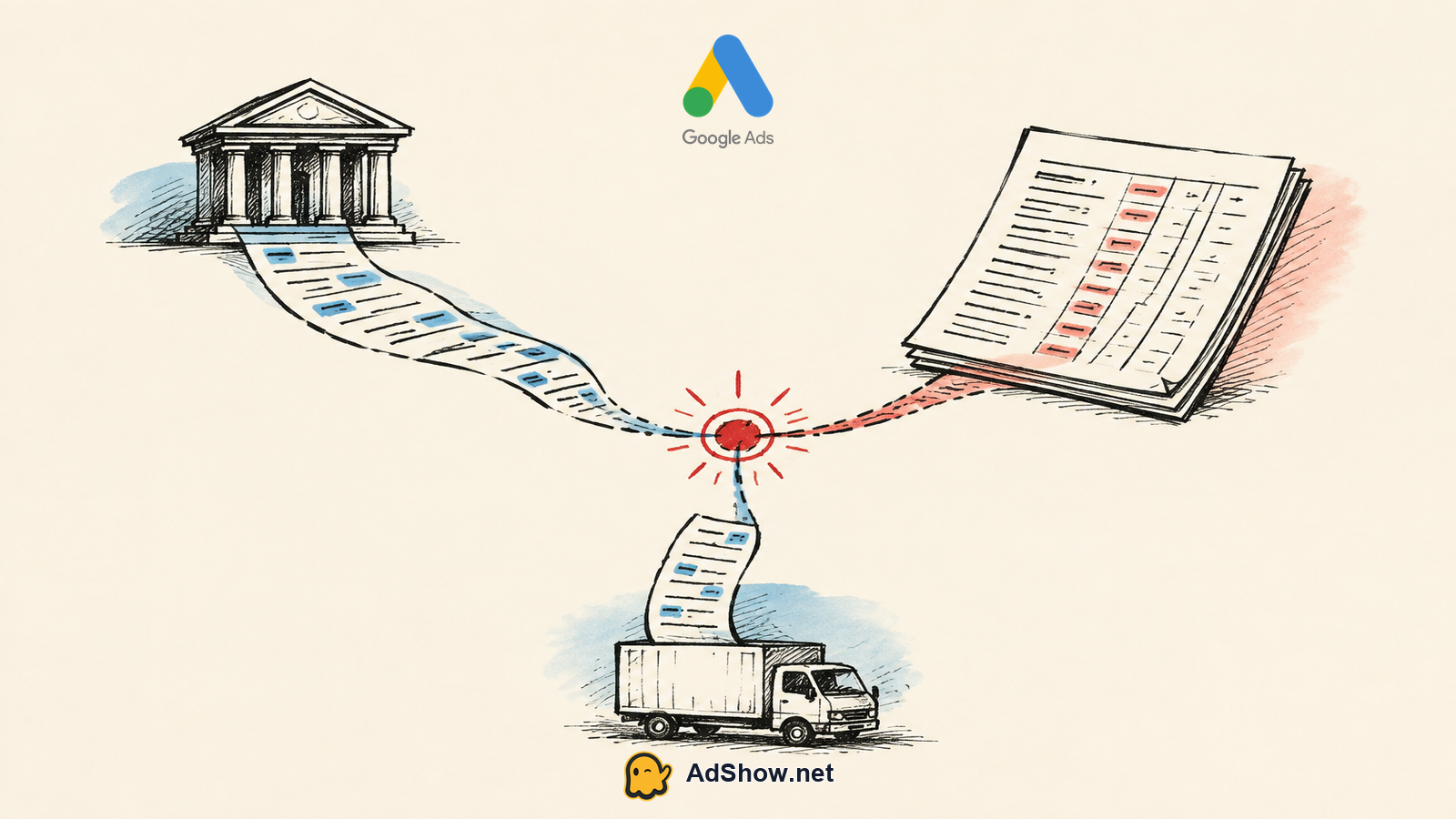
The first thing I would check is the exact payment entry in Billing Summary and the matching activity with the card issuer or bank. Those are two different records with different visibility. The issuer may see an authorization attempt, a merchant-category restriction, an online-payment control, a spending limit, insufficient available funds, a security hold, or a rejection reason it can discuss with its cardholder. Google Ads may show a declined charge, an outstanding balance, a payment in progress, or a payment that was later reversed. Neither view is complete on its own.
Match the amount, currency, date and last four digits of the payment method before assuming the two records describe the same attempt.
Ask the issuer whether it can see the attempted charge and whether it was declined, blocked, authorized or later reversed. A generic answer that the card is active is not the same as confirmation about this charge.
In Billing Summary, look for an overdue balance and any payment status that remains unresolved. Record the wording rather than relying on a notification alone.
Check whether recent edits changed the payment method, billing profile, account currency or payment setting. Eligibility can vary by country, currency and payment configuration under Google Ads payment-method rules.
For teams evaluating agency-account billing options, AdShow provides visible offer and pricing context, account requests, top-ups and issue reports in its self-service dashboard. View Google Ads agency accounts
What Billing Summary can establish
Billing Summary is the operational record to use when deciding what to do next. It can show whether there is an amount due, whether a payment was declined or reversed, and whether the account has a billing event that may affect service. It cannot tell you the issuer's confidential decline logic, nor can it turn a campaign status into proof that billing is clear. Google Ads' own guidance on resolving a declined payment covers declined cards, bank payments, overdue balances and backup methods; use it to frame the issue, then verify the facts in the account.
Open Billing Summary and identify the newest unsuccessful payment, any balance due and the payment method involved. Avoid changing several settings before you have that baseline.
Compare the entry with the issuer record. If the bank sees no attempt, verify the method details and account eligibility before repeatedly submitting the same payment.
Resolve a confirmed issuer-side block with the issuer. If funds or a limit caused the decline, correct that condition before trying again. Repeated attempts without a change can create noise rather than evidence.
Where the account offers an eligible backup payment method, add or use it only after confirming its details, country and currency fit. Do not assume every method is available to every billing setup.
After payment activity updates, recheck Billing Summary for the balance and status. Then review delivery and campaign status separately to see whether an additional issue remains.
Do not let campaign status answer a billing question
Campaign status describes campaign-level serving conditions: budgets, schedules, targeting, policy review, bidding and related controls. It may show that a campaign is eligible even while account billing requires attention, or it may show a pause without revealing the payment event behind it. That distinction matters when deciding who should act. A card issuer can address its authorization decision. Billing Summary can establish the account's payment state. A campaign status can only tell you whether there are visible delivery conditions at that level.
Choose the next action based on the evidence
When the issuer confirms a decline, the issuer is the first route. When Billing Summary shows a balance but the issuer has no matching event, check account payment-method eligibility and the recorded method details. When a payment was reversed, treat it as unresolved until the account record shows otherwise; a reversal is not evidence that delivery will continue normally. For a prepaid operating model, compare the practical implications in Agency Ad Account Prepaid Balance: What Advertisers Need to Know. For card selection and payment controls, Best Card for Google Ads is a useful companion.
Harris Eugene’s operator note: Harris Eugene's operator note: The useful discipline here is to separate a payment incident from a delivery incident until the records connect them. Advertisers often lose time trying to repair bids, ads or targeting because campaigns are the most visible part of the interface. Billing failures are less dramatic but more decisive. Preserve the payment details, make one evidence-based change at a time, and check the resulting account status before introducing another payment method or escalating the issue.
Keep anecdotal reports in their place
Recent community reports can help identify questions worth checking, but they do not establish a general platform rule or a likely outcome for your account. For example, a July 2026 advertiser report describes a reversed transfer, declined payment and paused ads. It is anecdotal, not a diagnosis. Use official guidance and your own issuer and Billing Summary records to determine the next action.
FAQs: The questions reflect recent advertiser discussions
Questions from recent advertiser discussions
Why was my Google Ads payment declined when my card works elsewhere?
A card can be active and still decline a particular online, cross-border, recurring or advertising-related charge. The issuer may also apply a limit or security control. Ask it about the specific attempted amount, merchant and date, then compare that answer with Billing Summary.
Will adding a new card immediately restart my ads?
Not necessarily. A new card may need to be eligible for the billing setup, and an outstanding balance or other account condition may still need attention. Check that the payment records update, then review delivery separately.
Does an eligible campaign mean the billing issue is fixed?
No. Eligible is a campaign-level status. It does not confirm that a declined payment, overdue balance or reversed payment has been resolved in Billing Summary.
Should I keep retrying the same declined payment?
Only after something material has changed, such as issuer confirmation that a block was removed or corrected funds are available. Repeated attempts without new evidence usually do not clarify the cause. Follow the account guidance and use an eligible backup method where appropriate.
Sources and scope
Official documentation defines platform behavior. Recent community discussions are used only to illustrate reported symptoms and questions; they do not prove the cause of an individual account outcome.
Google Ads: resolve a declined payment — Official guidance on declined cards, bank payments, overdue balances and backup methods.
Google Ads: payment methods — Official country, currency and payment-setting eligibility details.
Recent Google Ads payment rejection report — July 2026 advertiser report of a reversed transfer, declined payment and paused ads; anecdotal only.