What To Do When Your Google Ads Account Is Suspended in 2026
A practical guide to identifying the cause, preparing an honest appeal, correcting verification and payment issues, and using AdShow.net support when a Google Ads account is suspended.

August 6, 2026
Table of contents
According to the service information supplied, the team can help customers prepare an appeal, review rejected ads and destinations, guide compliant fixes, and request an account replacement when the account qualifies under the applicable terms. Google makes the final suspension and reinstatement decision.
A suspension is a compliance problem, not an invitation to create another account
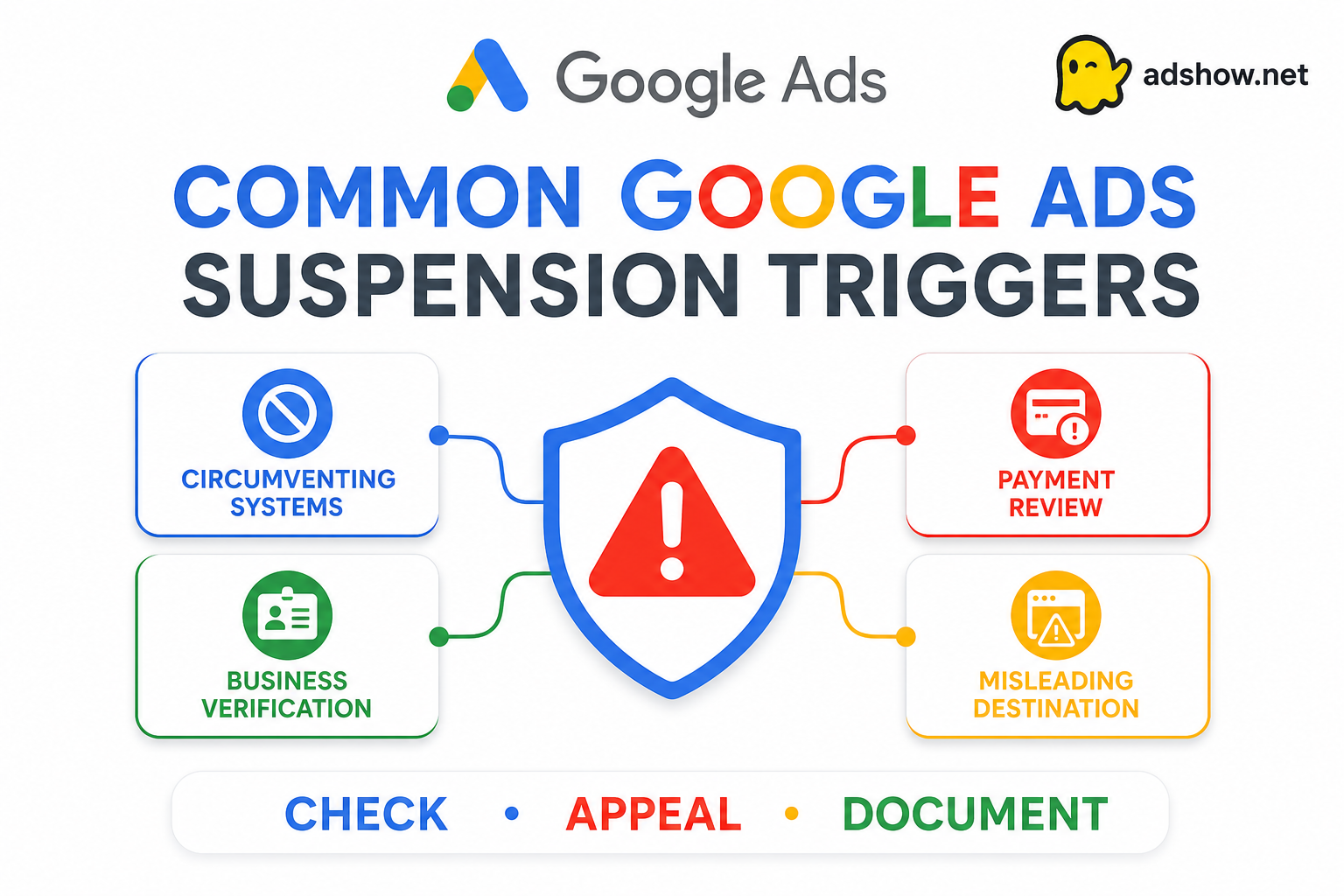
Google Ads can pause or suspend accounts when it detects serious policy violations, suspicious payments, incomplete verification, unsafe destinations, or links to other suspended accounts. Google also treats some violations as egregious and may suspend immediately without a prior warning.
The safest response is to identify the root cause, correct it, and use the official Google Ads appeal flow. Creating additional accounts to bypass a suspension can itself violate the Circumventing Systems policy.
Common reasons Google Ads accounts are suspended Common triggers and first checks
• Circumventing Systems: Creating new accounts, domains, or ad variations to bypass a previous suspension or disapproval.
• Misrepresentation or unacceptable business practices: Hiding or misrepresenting information about the business, product, pricing, or service.
• Suspicious payment activity: Chargebacks, declined payments, sudden card changes, or unclear payment ownership.
• Related suspended ecosystem: The account, Manager account, website, payment profile, or Merchant Center is linked to a suspended asset.
• Advertiser verification failure: Information is incomplete, inconsistent, unverifiable, or false.
• Repeated policy violations: Multiple ads or assets continue to violate a policy after warnings, strikes, or a temporary hold.
• Restricted or prohibited vertical: Financial products, gambling, unsafe products, healthcare claims, or another regulated category without required approval.
• Compromised or malicious destination: Malware, phishing, redirects, hacked pages, or unsafe scripts on the website.
• Unclear landing page: Missing business identity, contact details, pricing, refund terms, or a mismatch between ad and destination.
• Ad or creative violations: Unsupported claims, trademark misuse, prohibited content, or misleading calls to action.
The correct Google Ads response process
1. Read the suspension notice Check the in-account notification, email, Google Ads Policy Manager, billing area, and advertiser-verification status. Save the exact policy category, affected account, dates, URLs, and available appeal link.
2. Audit the connected ecosystem Review the Google Ads account, Manager account, payment profile, website, domain, Merchant Center, analytics tags, administrator access, and related accounts. Google may connect multiple assets during an investigation.
3. Correct the root cause Remove or revise violating ads, repair unsafe destinations, add clear business disclosures, resolve billing ownership, secure access, and complete all required verification tasks.
4. Submit an honest appeal Explain what the business does, who owns it, what happened, what was corrected, and why the current activity follows Google Ads policies. Use accurate information that matches the website and business records.
5. Wait for the decision Do not open additional accounts to bypass a suspension or resubmit disguised versions of the same prohibited offer. If the account is reinstated, relaunch gradually with compliant campaigns and controlled spend.
How AdShow.net can help
Appeal support
According to the service information supplied by AdShow.net, the team can help customers prepare an appeal without an additional appeal-support fee. This may include reviewing the suspension notice, ad and destination, verification details, payment context, and the explanation submitted through the official Google process.
Ad and destination review
AdShow.net specialists can review copy, keywords, assets, targeting, product claims, landing-page consistency, pricing, refund information, contact details, and website safety before a new submission or appeal.
Replacement when eligible
If a Google agency account is suspended despite compliant use, the customer can ask AdShow.net to confirm whether replacement is available under the current terms. Confirm eligibility, timing, fees, balance handling, data continuity, and limitations before resuming spend.
What not to do after a Google suspension
Avoid actions that create additional risk
Do not create multiple accounts to bypass enforcement, submit false verification information, use someone else’s payment method, hide the original domain, use cloaking, or ask a provider to disguise the same prohibited offer.
Prepare before contacting support
Have the suspension notice, customer ID, account ID, Manager account details, affected URLs, ad creatives, verification information, payment explanation, business description, ownership details, and corrective actions ready.
Final conclusion The right response to a suspended Google Ads account is a documented compliance review, not a race to create another account. Fix the website, business information, payment profile, verification data, creative, and connected assets before requesting reinstatement. AdShow.net can support this process near the point where advertisers need the most help: appeal preparation according to the supplied service information, specialist review of rejected ads and destinations, practical guidance for operating within Google Ads rules, and replacement options when an eligible account meets the provider’s terms. No provider can guarantee reinstatement, and a replacement account cannot make a prohibited campaign acceptable. Google remains the final authority over verification, suspension, appeal, and reinstatement. References: Google Circumventing Systems, Advertiser Verification, and AdShow.net