Facebook Ad Account Health in 2026: 10 Mistakes That Can Disable Your Meta Ads Account
A disabled Facebook ad account can stop active campaigns, interrupt conversion data, freeze planned launches, and affect connected assets such as Pages, Business Managers, pixels, catalogs, and payment profiles.

August 6, 2026
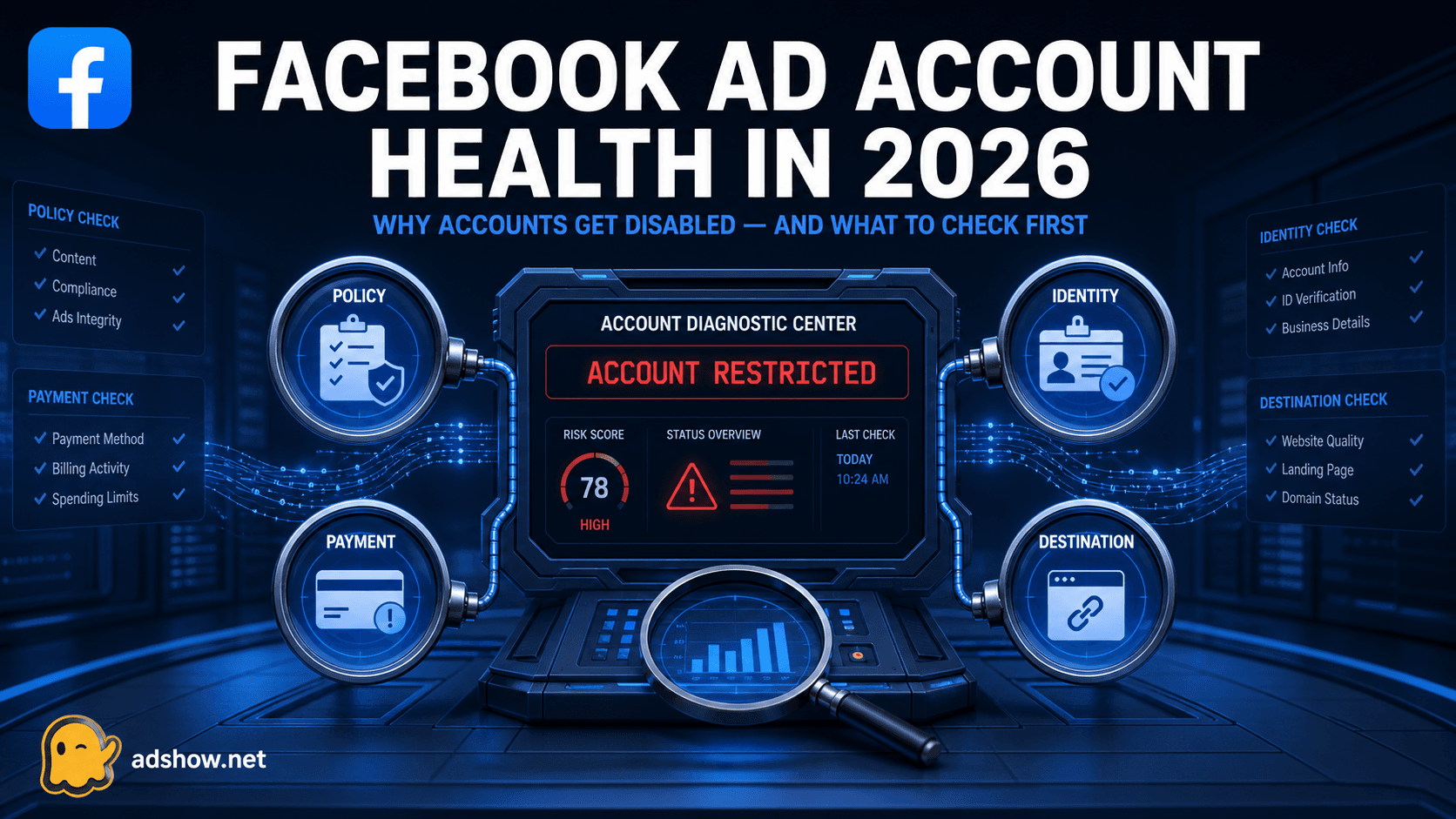
Table of contents
A practical guide for media buyers dealing with Facebook and Meta advertising restrictions.
Meta reviews more than the ad itself. Its systems may assess the creative, copy, targeting, landing page, account history, business identity, payment activity, and relationships between connected assets. Meta explains that repeated violations, evasion, inauthentic accounts, and connected abusive assets can lead to advertising restrictions.
The 10 highest-risk causes of Facebook ad account suspension
1. Repeated Advertising Standards violations
Repeatedly submitting ads that violate the same policy can lower the account’s trust and lead to stronger restrictions.
What to check: Review the exact policy reason and pause similar campaigns instead of resubmitting near-identical variations.
2. Circumventing Meta’s review process
Creating new Business Managers, profiles, Pages, domains, or ad accounts to avoid an existing restriction may be treated as evasion.
What to check: Resolve the original issue before creating or connecting new assets.
3. Misleading or deceptive business practices
Meta may restrict businesses that hide important information, make unrealistic claims, or create a misleading buying experience.
Common examples include:
False discounts or fake urgency.
Unsupported income, health, or performance claims.
Hidden subscription terms.
Fake testimonials or reviews.
A business identity that is difficult to verify.
4. Payment and billing problems
Payment issues can cause restrictions even when the creative is compliant.
Possible triggers include:
Declined or expired cards.
Chargebacks.
Sudden payment-method changes.
Unclear payment ownership.
An unpaid balance.
Billing information that does not match the business.
What to check: Use an authorised payment method and keep billing information consistent with the business identity.
5. Inauthentic or compromised user accounts
Meta may restrict an account when it detects unusual login activity, compromised credentials, fake profiles, or suspicious administrator behavior.
What to check: Secure personal profiles, enable two-factor authentication, remove unknown administrators, and review recent login activity.
6. Connected assets with a poor history
A new ad account may still be affected by a previously restricted Page, Business Manager, domain, pixel, catalog, or payment profile.
What to check: Review the entire business ecosystem, not just the individual ad account.
7. Advertiser or business verification problems
Verification may fail when the business name, address, website, documents, and public information do not match.
What to check: Submit accurate, current documents and avoid changing business details repeatedly during review.
8. Restricted or sensitive verticals
Meta applies additional scrutiny to categories such as:
Financial services.
Gambling and betting.
Crypto.
Supplements and healthcare.
Dating.
Cosmetics and medical procedures.
Employment, housing, or credit offers.
Lead-generation campaigns.
What to check: Confirm whether the vertical is permitted in the target GEO and whether additional disclosures, certification, or approval are required.
9. Low-quality or unsafe landing pages
Meta may review the destination website as part of the ad review process. Problems include:
Missing privacy policy or contact details.
Broken links or suspicious redirects.
A website that does not match the ad.
Aggressive pop-ups.
Malware or hacked pages.
Hidden pricing or unclear refund terms.
A checkout flow that does not identify the seller.
What to check: Test the complete post-click experience on mobile and desktop.
10. Creative, targeting, or personal-attribute violations
Ads may be restricted for:
Misleading images or videos.
Trademark misuse.
Prohibited content.
Before-and-after claims.
Personal-attribute language.
Shocking or sensational imagery.
Targeting that conflicts with Meta’s rules.
Meta’s review process may evaluate images, videos, text, targeting, and the destination website together. See Meta’s advertising review guidance.
What to do when a Facebook ad account is disabled
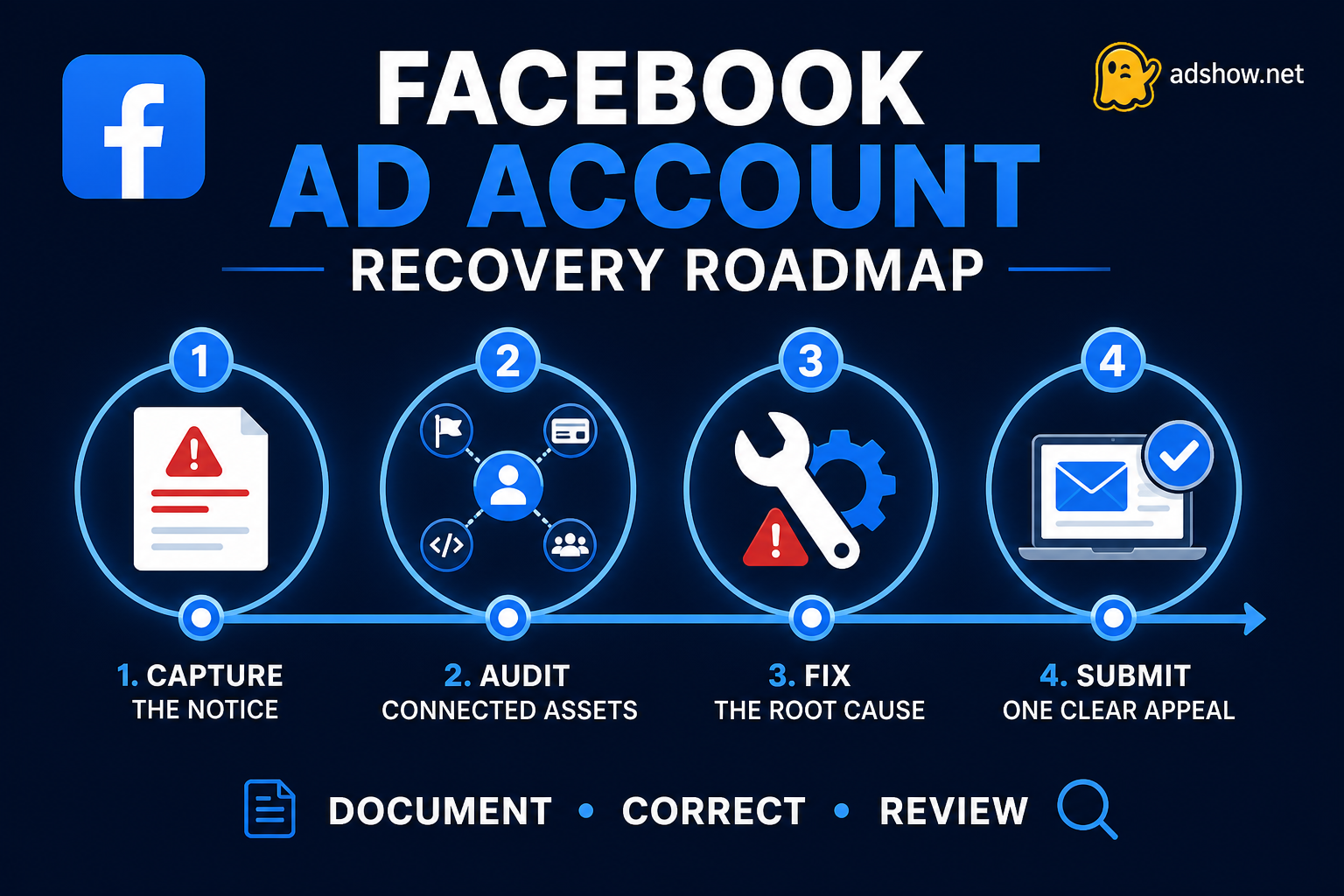
Step 1: Read the restriction notice
Identify whether the issue relates to:
A specific ad.
The ad account.
The Business Manager.
A Page or Instagram account.
Payment activity.
Identity or business verification.
A connected asset.
Step 2: Check Account Status and Business Support Home
Review the affected assets, policy categories, and available review options. Meta says that advertisers can request a review through Business Support Home when they believe a restriction was applied incorrectly.
Step 3: Stop unnecessary changes
Do not immediately create new accounts, change domains, replace payment profiles, or add unfamiliar administrators. Rapid changes can create additional trust signals.
Step 4: Audit the complete ecosystem
Review:
Personal profiles.
Business Manager access.
Pages and Instagram accounts.
Ad accounts.
Pixels and datasets.
Catalogs and shops.
Domains.
Payment methods.
Landing pages.
Step 5: Correct the root cause
Remove unsupported claims, repair the website, resolve payment issues, secure compromised profiles, complete verification, and disconnect assets that should not be connected.
Step 6: Submit one clear appeal
A useful appeal should explain:
What the business does.
Which assets are involved.
Why the restriction may have occurred.
What has been corrected.
Which documents or URLs support the explanation.
Avoid emotional language, repeated duplicate submissions, or claims that cannot be verified.
Meta states that reviews are often completed within 48 hours, although some cases may take longer. Review Meta’s advertising restriction guidance.
Where AdShow.net may fit
If a compliant campaign remains blocked after the account, website, payment, identity, and connected-asset issues have been reviewed, AdShow.net may be able to provide a Facebook agency account under its current service terms.
This should be considered an operational alternative for eligible campaigns, not a way to bypass Meta enforcement. The advertiser remains responsible for following Meta’s Advertising Standards.
Conclusion
A Facebook suspension is often caused by a combination of signals rather than one isolated mistake. The safest recovery process is to identify the exact restriction, audit the connected ecosystem, correct the root cause, and submit one honest appeal.
Meta remains the final authority on account approval, restrictions, and reinstatement.