Facebook Ads Balance $0 but Account Disabled? Check Pending Payment
A $0 Facebook Ads balance does not prove that no payment is due or that a disabled account has been cleared. A pending, failed, reversed or unrecognized billing event can leave funding unavailable while the ad account remains disabled. This guide separates payment state from balance, account enforcement and campaign delivery so you can diagnose the block in the right order.

August 19, 2026
Table of contents
If your Facebook Ads balance is $0 but the account is disabled, check the payment state before assuming the balance is accurate or the restriction is only a campaign problem. A pending, failed, reversed or unrecognized transaction may prevent funding while the account status remains disabled. Separately, Meta may restrict an ad account for policy, security or payment-risk reasons. Do not repeatedly retry charges or create related accounts to work around the restriction. First identify whether the failure is in the payment record, funding state, account enforcement or individual ad delivery. If you need a compliant advertising-account option while reviewing the original issue, review AdShow’s Facebook agency-account offering, including the visible offer and pricing context; access remains subject to Meta’s policies and review.
What a $0 balance actually tells you
A displayed balance is only one funding-state signal. It may represent no currently posted prepaid funds, while a payment is still pending, a charge has failed, or an earlier transaction has been reversed. It does not by itself prove that every billing obligation is settled, that a payment method is usable, or that the ad account is eligible to spend. Conversely, a $0 balance does not explain why an account is disabled. Account status and balance are different states.
Keep five labels separate during diagnosis. Campaign status describes whether a campaign is active, paused, learning, scheduled or otherwise not delivering. Ad and creative status concerns review, rejection, disapproval or delivery at the individual asset level. Account status concerns whether the advertising account is restricted or disabled. Billing and payment state concerns pending, failed, declined, reversed or completed transactions. Balance and funding state concerns available credit or funds. Platform policy and enforcement concerns the reason Meta may limit, review or disable access. One label cannot substitute for another.
Step 1: identify the scope of the block
Check whether the message applies to one campaign, one ad or the entire ad account. If only a campaign is paused or an ad is rejected, this is primarily a delivery or review issue, not proof of a billing disablement.
Confirm whether the affected account itself is disabled or restricted. Record the exact wording, affected account and any available reason or review instruction without paraphrasing it.
Check whether the business, payment profile or user access is also affected. A user-access problem can look like an account problem, while an account restriction can stop every campaign even when creatives are approved.
Do not edit ads or launch replacement campaigns until the scope is clear. New campaign activity cannot resolve an account-level payment or enforcement restriction.
Step 2: inspect payment and funding states
Next, separate the transaction record from the visible balance. Look for a payment marked pending, failed, declined, reversed, refunded or completed, and note the amount, currency, date and payment method. Meta’s guidance explains how payment methods are connected to an ad account; use that official reference rather than relying on a remembered account setup: Meta’s payment-method guidance. Available payment options can vary by market and payment arrangement, so a method that works elsewhere is not automatically available for this ad account. See Meta’s explanation of accepted payment options.
A pending transaction is not the same as an accepted top-up or settled charge. Avoid assuming that a second attempt will repair the first one. Repeated attempts can create more confusing records, and a bank authorization or temporary hold may not mean Meta has posted usable advertising funds. If the record is unclear, compare it with your bank or card activity and preserve the transaction reference, amount and currency.
Step 3: reconcile Meta and bank records
Compare the payment activity record with the card or bank statement, checking amount, date, currency and merchant descriptor. Meta provides instructions for matching advertising charges and payment activity records in its card-statement guidance.
Classify the transaction as completed, pending, failed, reversed or unknown. Do not call a pending item a successful payment merely because the bank shows an authorization.
Check whether the account shows an unpaid amount, available funds, a $0 balance or no usable funding state. Record each separately; a zero available balance can coexist with an unresolved payment event.
If the bank shows a completed charge but Meta does not show corresponding usable funds, preserve both records and report the mismatch through the available official support or review route.
If you do not recognize the charge, contact the payment provider and use Meta’s billing or account-review process. Do not dispute a legitimate charge solely because the advertising account is disabled.
Harris Eugene’s operator note: Operational judgment: treat “pending payment plus disabled account” as an unresolved billing-and-access incident, not as evidence that the account is debt-free or permanently banned. The cleanest escalation includes a timestamped record of the account message, transaction state, bank result and affected account, while avoiding repeated funding attempts.
Step 4: test the account-status explanation
After reconciling payment evidence, determine whether the disablement has an independent enforcement explanation. An account may be disabled even when the balance is $0 because account access, security checks, payment risk and policy enforcement are not represented by the balance alone. Review any official restriction or appeal instruction associated with the affected account. Follow the stated process accurately and provide only requested, truthful information.
Do not attempt to evade enforcement by opening related accounts, changing identity details, rotating payment details, disguising the relationship between businesses or repeatedly submitting contradictory appeals. Those actions do not establish that the original account is eligible and may complicate review. Also avoid describing an ad rejection as an account disablement: a disapproved creative can often be a narrower review outcome, whereas an account-level restriction can stop otherwise approved campaigns.
Step 5: submit one coherent escalation
Prepare a short chronology: when delivery stopped, when the account became disabled, when the payment was initiated, what the balance displayed, what the bank reported and what official message appeared. Include the ad account identifier, transaction reference where appropriate, currency and screenshots with sensitive card details redacted. Ask a precise question: is the payment pending, failed, reversed or posted, and is the disablement caused by billing, security or another enforcement reason?
Keep the payment question and policy question distinct in the same report. If support confirms a payment issue, follow the requested correction and wait for the account’s official status to change; do not assume that a corrected charge automatically restores delivery. If the response identifies policy or security enforcement, address that reason rather than adding funds. Community reports can show that other advertisers have described similar symptoms, including pending payments with a $0 balance and disabled ads, but those discussions are anecdotal and cannot establish a platform-wide cause: one recent discussion and a July 2026 discussion.
What not to conclude from the symptom
A $0 balance does not prove that a pending payment has settled.
A pending payment does not prove that the account will be re-enabled.
A disabled account does not mean every campaign, ad or creative was rejected.
An approved ad does not override an account-level billing, security or policy restriction.
A bank authorization does not necessarily equal usable advertising funds.
A new payment method or repeated retry is not a guaranteed fix and should not be used to evade review.
A practical decision path
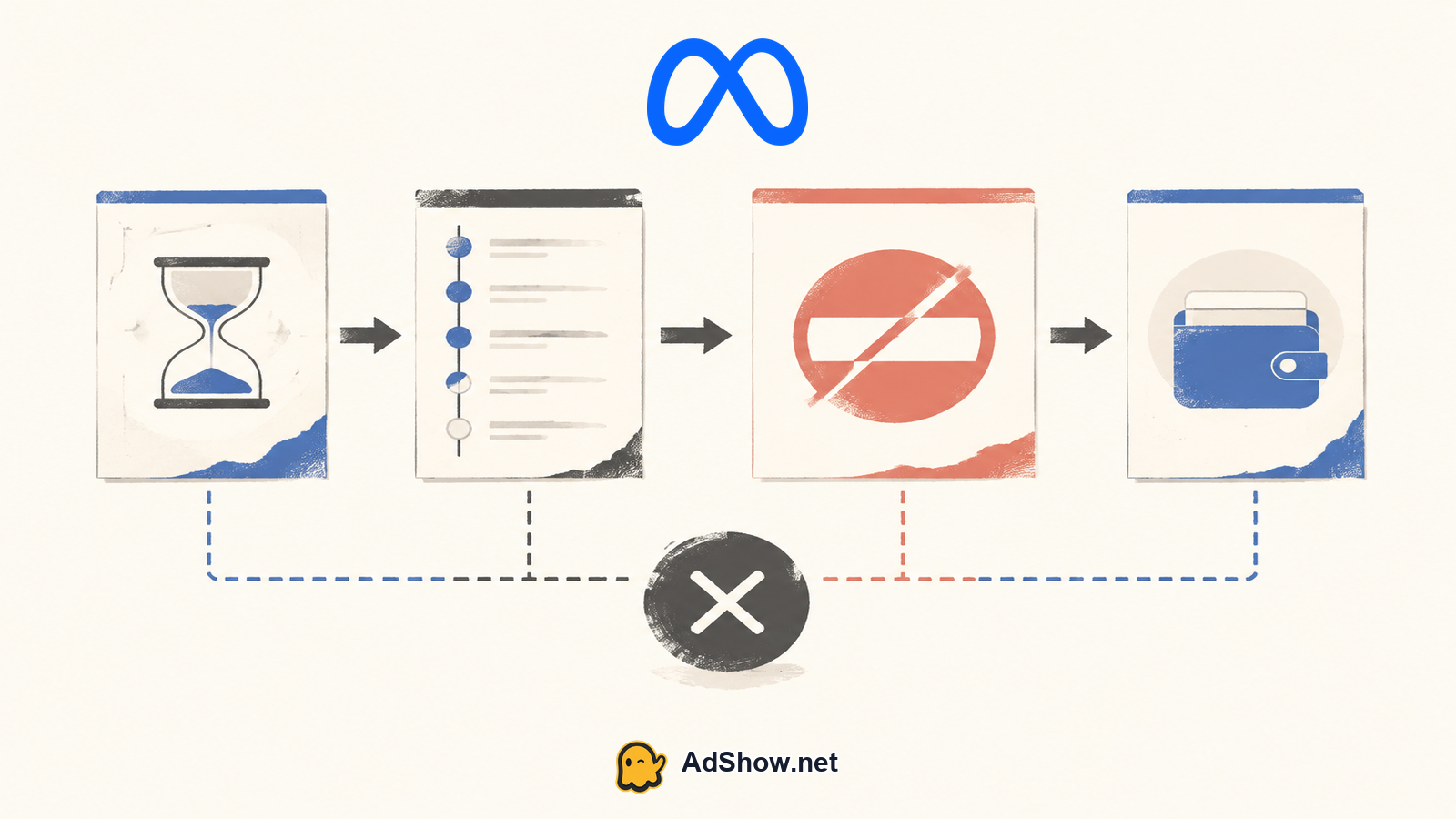
Use this order: first identify whether the warning is campaign-, ad-, creative- or account-level; second record the exact billing and payment state; third compare Meta’s record with the bank; fourth check for a separate policy, security or access restriction; fifth submit one complete review or billing report; and finally wait for an official status change before attempting normal delivery. If the transaction is unknown, treat it as a payment-security issue. If it is pending, document it without assuming success. If it is failed or reversed, follow the supported correction path without promising that funding will be accepted.
Need a compliant account option while your original billing issue is under review? Explore AdShow’s self-service Facebook agency-account dashboard for visible offer and pricing context, account requests, top-ups and issue reports. AdShow cannot control Meta approval, enforcement or spend restoration. Explore Facebook agency ad accounts
FAQs
Questions from recent advertiser discussions
Why is my Facebook Ads balance $0 if a payment is pending?
A pending transaction may not have become posted, usable funding. The displayed balance and payment-processing state are separate, so reconcile Meta’s record with your bank before retrying.
Can a $0 balance cause a Facebook ad account to be disabled?
It can be associated with an unresolved billing problem, but $0 alone does not prove the cause. Account enforcement, security and policy restrictions can also disable an account independently of its balance.
Should I add another card when the payment says pending?
Do not repeatedly retry or add payment methods just to bypass the issue. First classify the transaction, check the bank record and follow the official billing or review instructions for the affected account.
Will paying the pending amount automatically restore advertising?
No outcome is automatic or guaranteed. A payment correction may address billing, while a separate account, security or policy restriction can still prevent delivery and require its own review.
Sources and scope
Official documentation defines platform behavior. Recent community discussions are used only to illustrate reported symptoms and questions; they do not prove the cause of an individual account outcome.
Meta: add a payment method to an ad account — Official guidance on payment methods connected to an ad account.
Meta: find ad charges on a card statement — Official instructions for matching ad charges and payment activity records.
Meta: accepted payment options — Official explanation that available payment options depend on account market and payment arrangement.
Recent pending-payment and zero-balance report — 2026 advertiser discussion describing a pending transaction, $0 displayed balance and disabled ads; anecdotal only.
Recent pending-payment discussion — July 2026 discussion about payments remaining pending and blocking funding attempts; anecdotal only.