Google Ads Zero Impressions? Check These 5 Layers
A Google Ads campaign with zero impressions is not automatically suspended, broken, or underfunded. “Eligible” only means the ad can participate when all other conditions are satisfied; it does not guarantee that the campaign will enter or win an auction. In practice, the fastest diagnosis moves from account-wide blockers to ad status, schedule and targeting, bids and goals, and finally auction demand.

August 14, 2026
Table of contents
This guide gives media buyers a fixed diagnostic order. It prevents the common mistake of raising bids, widening targeting, replacing an account, and editing conversion settings simultaneously—then losing the evidence needed to identify the real constraint.
What does zero impressions in Google Ads actually mean?
Zero impressions means Google Ads has not recorded an instance of the ad being shown during the selected reporting period. Before changing the campaign, confirm that the date range includes the period in which it was enabled. A campaign scheduled for tomorrow, viewed under yesterday’s date range, has zero impressions for a perfectly ordinary reason.
Google’s current troubleshooting documentation groups low or absent traffic into account issues, dates, inactive or policy-limited ads, weak asset coverage, bids and optimization goals, budget, narrow or overlapping targeting, conversion tracking and auction dynamics. Google also notes that newly created or edited ads can require review time and that automated bidding may need time to learn. If a new campaign remains at zero after three business days, a structured review is more useful than repeated edits.
Operator’s rule: Diagnose from the widest scope to the narrowest. If every campaign in the account stopped together, do not begin by rewriting one ad. If only one ad group has zero impressions, do not begin by replacing the account.
Run this five-layer Google Ads zero-impressions check
1. Confirm account and billing status
Check the account banner, Billing summary, Payments profile and Policy Manager. A suspension, canceled account, exhausted account budget, failed payment or incomplete advertiser verification can stop delivery across otherwise eligible campaigns. A balance visible in a bank statement is not proof that the payment has been credited to the correct Google Ads account.
Record the customer ID, payment status, transaction reference and exact warning text. If several campaigns stopped on the same date, this account-level evidence is more valuable than screenshots of individual keywords.
2. Read status at campaign, ad group, ad and asset level
Open the Status column at each level. Google distinguishes “Eligible,” “Eligible (limited),” “Under review,” “Disapproved” and “Not eligible.” An eligible campaign can contain a paused ad group or disapproved ads. Conversely, one eligible ad does not prove that its targeting and bid allow it to enter an auction.
Google says most ad reviews are completed within one business day, although more complex reviews can take longer. Avoid duplicating ads repeatedly to escape review; every new variant adds another object and can make the history harder to interpret.
3. Check dates, locations, audiences and keyword demand
Verify start and end dates, ad schedule, location targeting, languages, audience restrictions and negative keywords. Then use Keyword Planner and the ad preview tools to determine whether the targeted queries have measurable demand. “Eligible (limited)—low search volume” is a demand constraint, not a billing error.
Also look for overlap. Similar keywords and targeting in multiple campaigns can cause one campaign to absorb most eligible auctions while another appears inactive. This is especially common after an advertiser duplicates a campaign for testing without defining a clean geographic, query or audience split.
4. Audit bids, targets and conversion inputs
A daily budget is not a promise to spend. Very low bids, an aggressive target CPA, an ambitious target ROAS or weak conversion history can sharply restrict auctions. If a new campaign is optimized toward a conversion action that rarely fires, Smart Bidding has little reliable information.
Do not respond by changing the budget, bid strategy, conversion goal and targeting on the same day. Choose the most likely constraint, document the baseline and make one controlled change. Otherwise, any recovery is impossible to attribute.
5. Evaluate auction conditions and data delay
If account, status, targeting and bidding checks pass, inspect impression share diagnostics, auction insights where available, search volume and recent market changes. Competitor bids and demand can change. Reporting delay can also make a very new campaign look quieter than it is, but it should not be used as a permanent explanation for days of zero delivery.
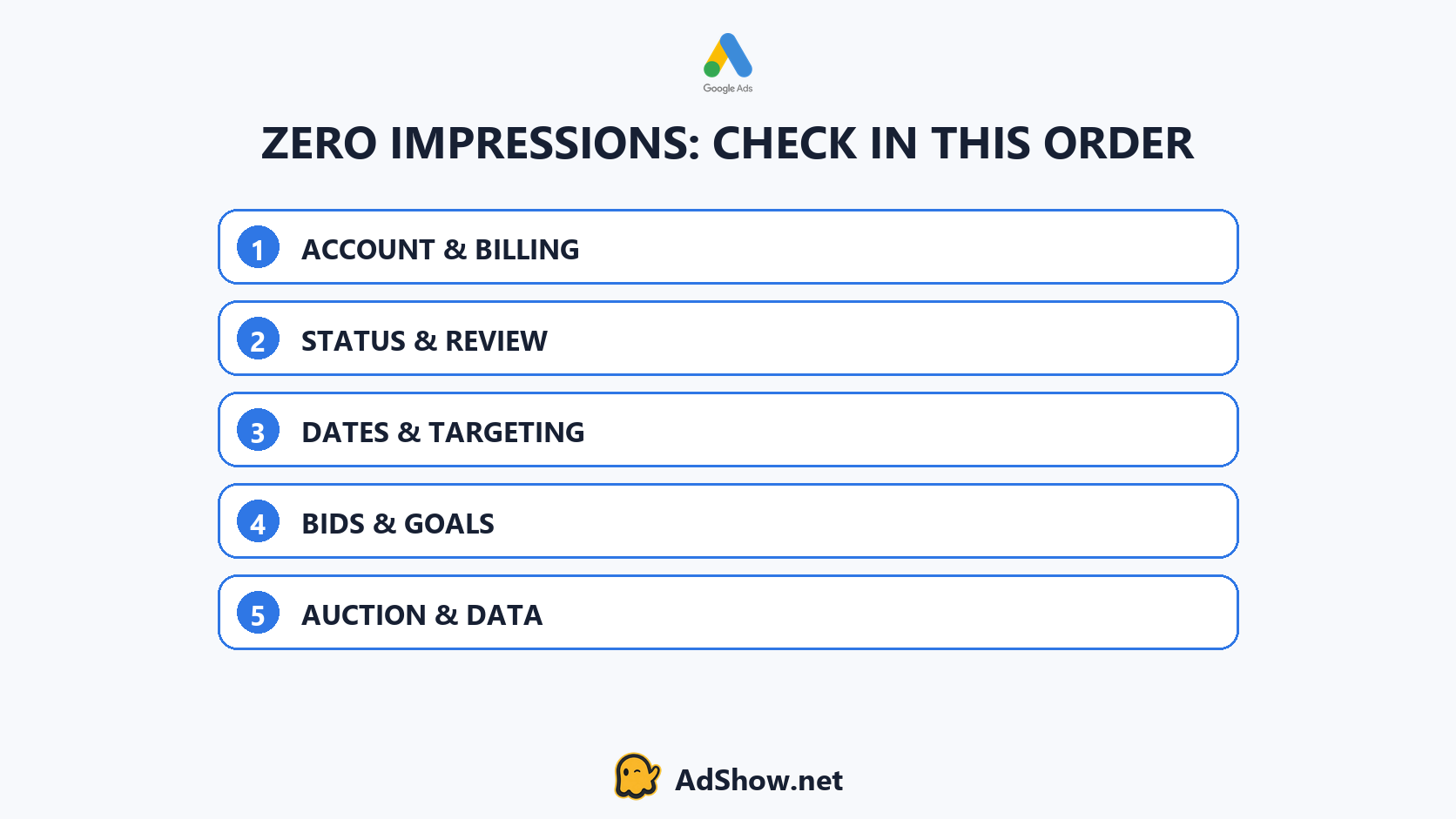
Check account-wide blockers before campaign mechanics, then move through status, targeting, bids and auction evidence.
What recent advertiser discussions add to the diagnosis
Recent August 2026 threads in the Google Ads Community and specialist Reddit communities repeatedly describe campaigns marked eligible but receiving zero impressions. Other advertisers report delivery falling after a budget change, or an account remaining inactive after a top-up. These reports do not prove a single platform-wide cause. They show why “eligible but not running” must be treated as a symptom shared by several different failure modes.
One useful operational distinction is whether the problem began at account creation, after a specific edit, or simultaneously across mature campaigns. The first points toward onboarding, verification, billing or initial review. The second points toward change history. The third deserves an account-wide and platform-status check before campaign rebuilding.
When should you consider a different Google Ads account workflow?
Do not request a new account merely because a campaign has zero impressions. Resolve billing, verification and policy alerts first, and preserve ownership of the website, conversion actions, Merchant Center and other business assets. Creating related accounts while an enforcement issue remains unresolved can introduce more risk rather than fix delivery.
If the diagnosis instead shows an operational problem—slow top-ups, unclear account requests, fragmented chat records or poor visibility across several accounts—then the account-management model matters. AdShow provides agency advertising accounts for Google Ads, Facebook/Meta, TikTok and other major platforms through a self-service dashboard. Eligible advertisers can review the current Google agency ad account options, while readers comparing ownership and workflow can use the agency versus individual Google Ads account guide.
This article refreshes AdShow’s existing delivery-diagnosis resource. Preserve the published URL and canonical when replacing the older version; account type never guarantees impressions.
Evidence pack to collect before contacting support
Customer ID and affected campaign IDs.
Selected reporting date range and campaign start date.
Account, campaign, ad group and ad status screenshots.
Exact billing, verification or policy warning text.
Bid strategy, target and daily budget.
Locations, languages, audiences and ad schedule.
Keyword status, negative-keyword conflicts and search-volume evidence.
The last material edit and the time delivery changed.
This package lets support or an account operator evaluate the problem without asking you to reconstruct the campaign history from memory.
Questions collected from recent advertiser support discussions
Why is my Google Ads campaign eligible but getting zero impressions?
Eligibility is only one condition. Billing, verification, schedules, targeting, search volume, bids, conversion goals, overlap and auction conditions can still prevent delivery.
Should I raise the budget when Google Ads has no impressions?
Not automatically. Budget helps only when budget is the binding constraint. A disapproved ad, failed payment, narrow target or unrealistic tCPA will not be fixed simply by increasing the daily budget.
How long should a new Google Ads campaign take to receive impressions?
Google notes that new ads undergo review and automated bidding needs learning time. If there are still no impressions after three business days, check the documented causes rather than continuing to wait without diagnosis.
Does zero impressions mean the Google Ads account is suspended?
No. A suspension is one possible account-level cause, but zero impressions can also result from dates, status, targeting, bids, goals or auction demand. Confirm the account banner and policy status.
Sources and scope
This guide combines current Google documentation with recent advertiser-reported symptoms. Community reports describe individual experiences and do not establish a universal platform rule.