Native Ads Dayparting: When It Helps—or Kills Delivery
Native ads dayparting can improve efficiency when conversion quality genuinely changes by hour and the campaign has enough data to prove it. It can also damage delivery when the schedule is built from a small sample, ignores conversion delay, uses the wrong time zone or forces a full daily budget into a narrow window.

August 14, 2026
Table of contents
The right question is not “Which hours have the lowest CPA?” It is “Do those hours remain better after spend, click quality, delayed conversions and weekday mix are controlled?” This guide shows how to answer that question for Taboola, Outbrain and other native advertising workflows.
What is native ads dayparting?
Dayparting is the practice of changing campaign availability or bids by day of week and hour of day. A lead-generation campaign may run only while a sales team can answer calls. An ecommerce campaign may remain live around the clock but apply hourly bid adjustments after enough conversion data accumulates.
Scheduling and bid adjustment are different tools. Scheduling removes certain hours from delivery. Hourly bid adjustment keeps the campaign eligible but changes how aggressively it competes. Confusing the two can turn a modest efficiency test into an abrupt loss of reach.
AdShow operator note: Do not cut an hour because it has zero same-hour purchases. Native conversions often arrive after the click. Compare click time with conversion time, then check whether the sales or checkout process creates the apparent delay.
When dayparting is justified
Lead handling has fixed hours. Calls or forms generated overnight consistently receive slower follow-up and lower qualification rates.
Hourly data is large enough. The pattern repeats across multiple comparable weeks, not just one day.
Conversion lag is understood. You can attribute outcomes to click time rather than only the hour the platform recorded the conversion.
Time zones are aligned. Campaign schedule, report time zone and target-market local time have been converted correctly.
The campaign can still pace. Removing hours leaves enough inventory for the budget and bid to deliver.
Outbrain’s current help documentation says advanced scheduling can select precise days and hours. It also warns that dashboard time is set to Eastern Standard Time and that a daily budget resets on that calendar. If a campaign is allowed to run for only a few hours, the system may try to spend the full daily budget inside that period. That is a pacing risk, not merely a time-zone detail.
When native ads dayparting usually hurts
The campaign has too little data
Ten clicks at 2 p.m. and one purchase at 4 p.m. do not establish an hourly law. Segmenting already-thin data makes random variation look meaningful. Keep the schedule broader until each tested block has enough spend and conversion volume to support a decision.
Delayed conversions are assigned to the wrong hour
A person can click a native ad during lunch, return through direct traffic at night and purchase the next morning. If you evaluate only conversion timestamp, the hour receiving credit may not be the hour that generated demand.
The delivery window is too narrow
Native platforms need room to find placements and audiences. Compressing a full budget into three hours can raise competition, distort pacing or leave the budget underdelivered. A narrow window can also make creative fatigue harder to distinguish from schedule effects.
The operator changes schedule and bids together
If you remove night hours and increase daytime CPC on the same date, you cannot tell which change affected results. Test one variable against a stable control.
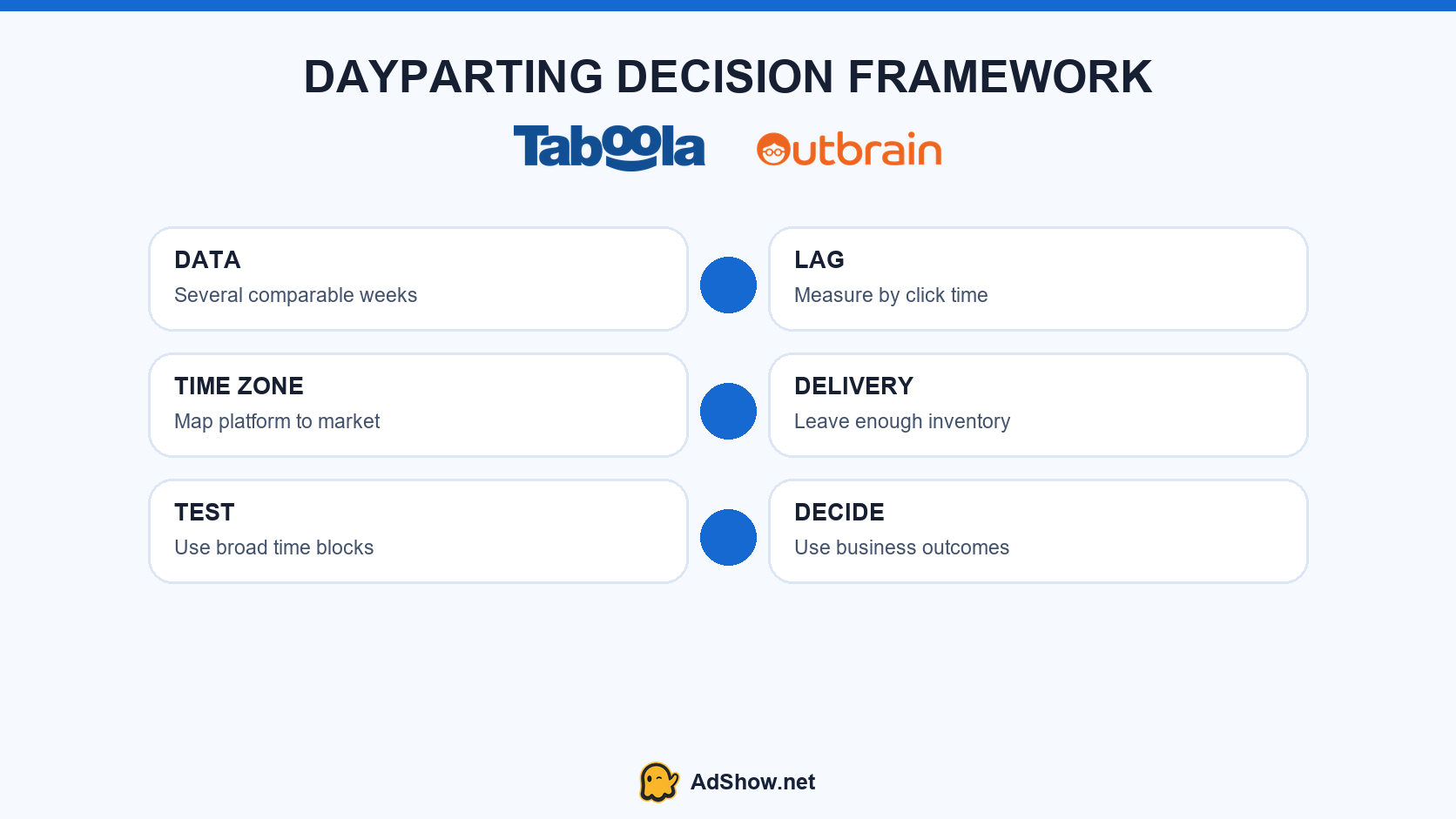
A defensible dayparting test checks data volume, conversion lag, time-zone alignment and delivery capacity before scheduling.
A five-step native ads dayparting test
Export at least several comparable weeks. Include spend, impressions, clicks, CTR, CPC, conversions, revenue and qualified-lead outcomes by hour and day.
Normalize the time zone. Convert platform reporting and campaign schedule to the target market’s local time. Document daylight-saving assumptions.
Account for lag. Compare click-time cohorts rather than judging only same-hour conversions.
Create broad blocks. Start with business hours versus off-hours, or weekday versus weekend. Do not begin with 24 independent hourly rules.
Run a controlled test. Hold creative, landing page, targeting and base bid stable. Define the minimum spend and test duration before looking at the result.
The decision should use business value, not only platform CPA. For lead generation, compare contact rate and accepted leads. For ecommerce, compare revenue, cancellations and refunds. Cheap clicks at an hour when nobody converts or answers the phone are not efficient traffic.
How does Taboola dayparting work?
Taboola’s current Realize help center says campaigns default to a 24/7 schedule. Advertisers can instead select specific days or hours, copy a timeframe across weekdays or weekends, exclude a full day and set a campaign time zone. The schedule can later be edited from the campaign settings.
That control does not mean every account should be narrowed immediately. Taboola’s June 2026 scheduling guide recommends collecting an initial 24/7 baseline before prioritizing hours. Use the interface to test a hypothesis—not to convert one noisy afternoon into a permanent rule.
How does Outbrain campaign scheduling work?
Outbrain allows precise days and hours through advanced scheduling. Its documentation also warns that dashboard time and daily-budget reset behavior must be accounted for. Record the applicable time zone in the test sheet, because a schedule that looks like local business hours may represent a different market window.
Outbrain also supports custom CPC adjustments. Treat a bid adjustment and a delivery schedule as separate experiments: one changes auction competitiveness, while the other removes eligibility during selected periods.
If the campaign is active but fails to spend, diagnose delivery before adding more schedule restrictions. AdShow’s Taboola active-but-not-spending guide separates account, campaign, creative, targeting, bid and tracking states. Buyers evaluating access and provider workflow can review the current Taboola agency ad account and Outbrain agency ad account pages.
AdShow provides agency advertising accounts for Taboola, Outbrain, Google Ads, Facebook/Meta, TikTok and other major platforms through a self-service dashboard. An agency account does not guarantee delivery; it improves operational visibility only when the campaign and advertiser remain eligible.
Questions collected from recent native-ad and PPC discussions
How much data do I need before dayparting native ads?
There is no universal number. Each tested time block needs enough spend and conversion or qualified-lead volume to reduce random noise. Start with broad blocks and multiple comparable weeks.
Should I pause native ads overnight?
Only when click-time cohorts show persistently lower business value or the business cannot handle those leads. Same-hour conversion reports alone can be misleading.
Can dayparting fix a native campaign that is not spending?
Usually not. Restricting hours reduces eligible inventory. Diagnose approval, account status, targeting, bids, budget and creative first.
Is scheduling the same as hourly bid adjustment?
No. Scheduling switches delivery eligibility by time. A bid adjustment changes competitiveness while preserving eligibility in that period.
Sources and scope
The practical framework is informed by a current specialist discussion and official Taboola and Outbrain scheduling documentation. Interface availability and time-zone behavior should be rechecked in the advertiser’s own account.