Taboola Ad Account Active but Not Spending? 6 Checks
A Taboola ad account can look active while producing zero impressions and zero spend. Before requesting a new account, identify whether the block sits at account access, billing, campaign status, ad approval, bidding or inventory. Replacing the account only helps when the problem is genuinely account-level.

August 10, 2026
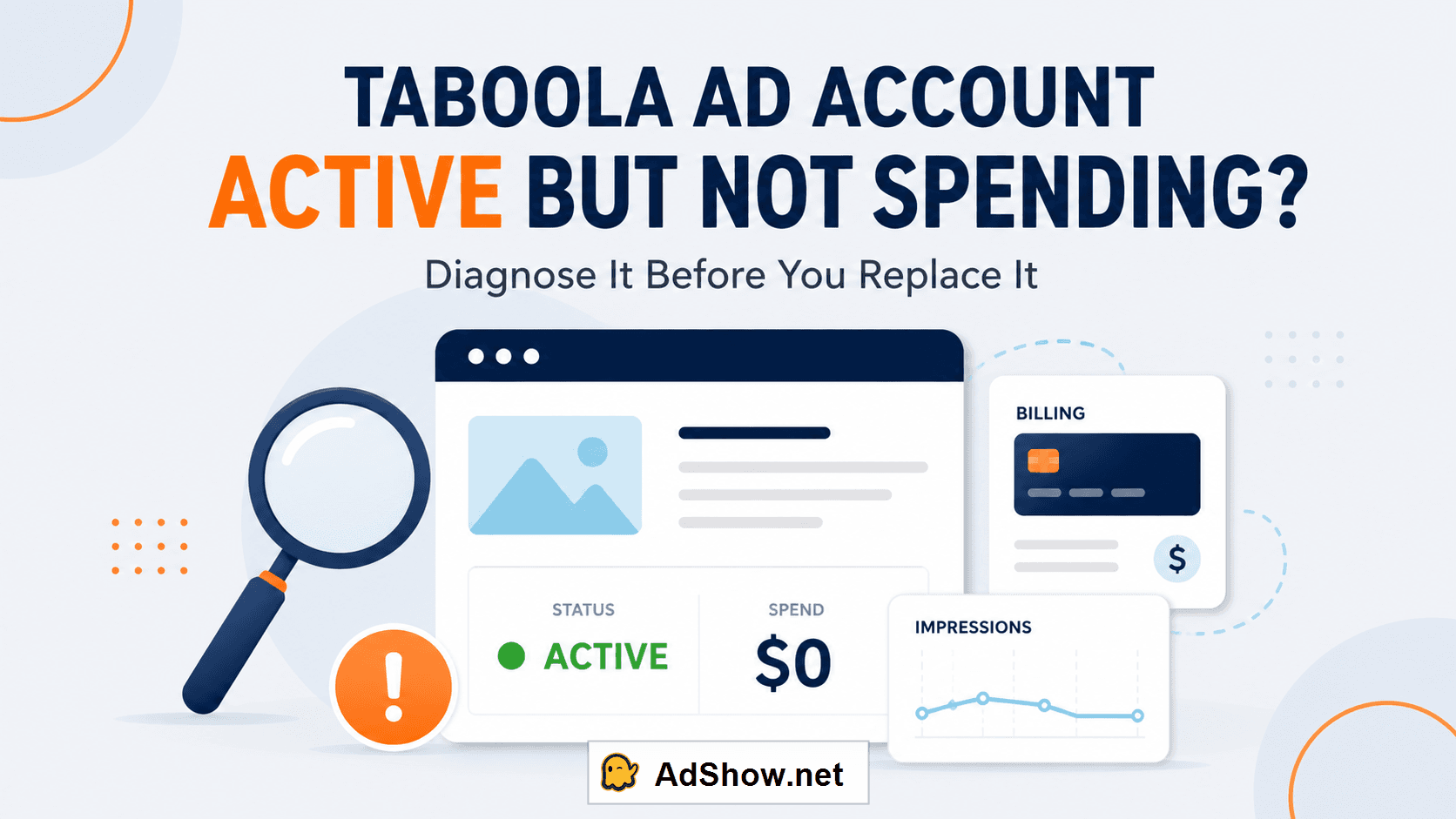
Table of contents
The fast answer: check these five layers in order
Account access: Can you open Realize, and is the account enabled rather than disabled or deactivated?
Billing: Is the account funded, is the payment method valid, and does anything show as Frozen?
Campaign status: Is the campaign Running—not paused, depleted, expired or waiting for its start date?
Ad approval: Does the campaign contain at least one approved, enabled creative?
Bid and inventory: Is the CPC competitive enough for the targeting and publisher inventory selected?
If the first two checks fail, the issue may be account-level and an account provider or Taboola support may be relevant. If checks three to five fail, opening another account usually reproduces the same problem.
If the diagnosis points to an account-level problem: do not choose the next provider from its headline fee alone. AdShow separately investigated four Taboola agency account providers, comparing approval gates, effective fees, dashboard workflows and funding risks. Buyers ready to review availability can then check the current Taboola agency ad account offer.
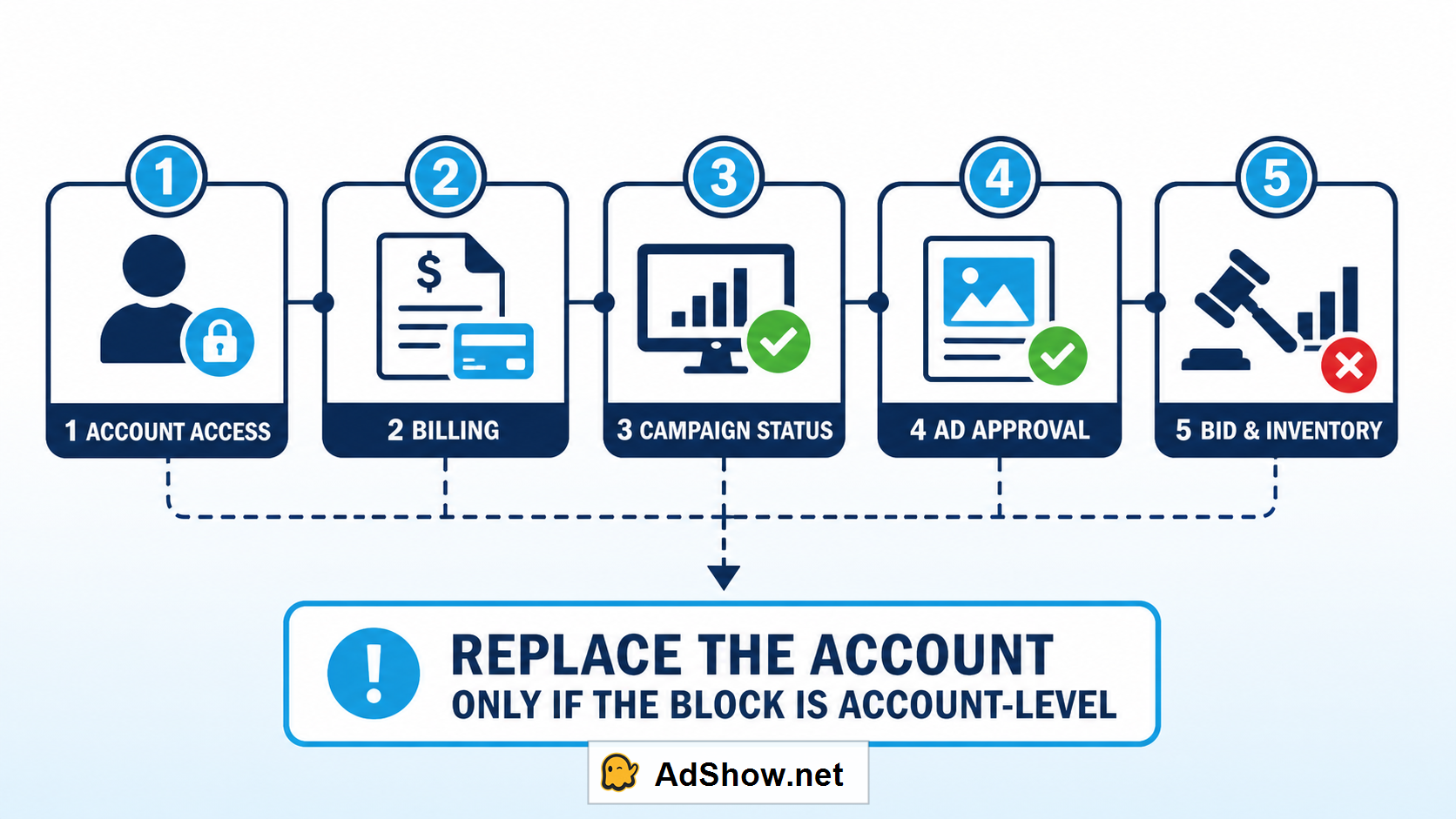
Follow the serving chain from account access to inventory. Replace an account only after confirming an account-level block.
Why this problem is confusing
Media buyers often use “my Taboola account is not spending” to describe several different failures. In Realize, the account, campaign and individual ads can each have their own state. A campaign may appear Running while being disabled underneath the campaign name. The campaign shell can be enabled while every creative inside it is pending or rejected. A valid campaign may also lose auctions because the bid is too low.
This distinction surfaced repeatedly in advertiser discussions about disabled Taboola accounts. One buyer described creatives and a landing page being approved before delivery stopped and the account was later deactivated following a billing review. Another said aggressive scaling appeared to trigger a secondary review. These are individual accounts rather than universal rules, but they expose an important operational truth: initial approval is not permanent immunity from subsequent review.
Taboola's official status documentation provides the cleaner framework. Campaigns can be Running, Pending Start Date, Paused, Depleted, Depleted for Current Month, Expired, Frozen or Deleted. “Frozen” commonly points to billing, while a disabled campaign cannot serve even if Running appears elsewhere in the interface.
1. Confirm that the Taboola ad account itself is accessible
Start above the campaign level. Can the correct user log in to the correct advertiser account? Larger buyers may have several account IDs under one interface, so confirming the account name and ID prevents hours of troubleshooting the wrong workspace.
Treat these signals as account-level:
You cannot enter the advertiser account even though your user credentials work elsewhere.
An email says the account failed a billing or advertiser review.
The entire account is disabled or deactivated, not merely one campaign.
All previously eligible campaigns stopped together without an intentional billing or schedule change.
Do not immediately create another direct account using the same business, payment method and landing pages. If the underlying advertiser or billing concern remains unresolved, related applications may face the same review. Save the notification, account ID, time delivery stopped, recent billing changes and the last approved landing page before contacting support.
2. Check billing before changing campaigns
A Frozen status is a strong billing clue. Depending on the account arrangement, the cause may be an expired or declined card, exhausted credit, a funding delay or an account-level billing review. Confirm the available balance and payment state rather than assuming a successful transfer means the ad account has already received usable credit.
Agency-account users should distinguish three balances:
Provider wallet: funds recorded by the provider but not necessarily allocated to an ad account.
Pending or reserved funds: money attached to a top-up request that may still be processing.
Taboola account balance or credit: funds actually available to the advertising account under its billing arrangement.
A Telegram message saying “top-up received” is not the same as a platform balance showing ready-to-spend credit. This is one reason AdShow uses a dashboard and top-up notifications together: the notification accelerates awareness while the recorded request preserves operational context.
3. Read the campaign status literally
Open the campaign report and inspect the exact status rather than relying on the green toggle alone.
Pending Start Date: the configured date has not arrived.
Paused: the campaign is deliberately off.
Depleted: its total budget has been consumed.
Depleted for Current Month: the monthly spending limit has been reached.
Expired: the end date has passed.
Frozen: the campaign is not live because of billing.
Deleted: it cannot simply be enabled and edited again.
Also look for a Disabled label beneath the campaign name. Taboola explicitly notes that a campaign can show Running while also being disabled. This is the kind of interface detail that leads buyers to replace a healthy account unnecessarily.
4. Make sure at least one ad can actually serve
A Running campaign with no approved ads has nothing eligible to deliver. Inspect every creative and separate Pending, Rejected, Paused and Approved items. If only two of nine variations are approved, those two may start spending while the other seven remain unavailable—so the test you planned is no longer the test being delivered.
For a clean launch, keep the campaign paused until the initial creative set has completed review. Then confirm that headlines, images, branding text and destination URLs are consistent. When an item is rejected, use the specific reason shown rather than making unrelated edits across the whole campaign.
Taboola's current guidance says submitting a new campaign or making changes can lead to a review that commonly takes 24–48 hours. A short pending period is therefore not evidence that the account is broken. Escalate when the review exceeds the stated window or when the status and message contradict each other.
5. If everything is approved, test bid and inventory
When the account is accessible, billing is healthy, the campaign is Running and ads are approved, zero impressions commonly points to auction competitiveness or restrictive targeting. Taboola's own 2026 troubleshooting guidance says a campaign that is Active with zero impressions is likely bidding below the competitive threshold and suggests testing a CPC increase of roughly 20%–30% to establish initial traffic.
Do not increase the bid blindly across every campaign. Change one variable, observe impressions and placement mix, and document the result. Also inspect:
GEO size and whether device, audience and schedule filters make it too narrow;
publisher or placement exclusions accumulated from an older campaign;
daily and lifetime budget limits;
start and end dates in the account timezone;
whether premium inventory has additional content requirements.
If impressions begin after a controlled bid increase, the account was not the problem. If nothing changes, preserve screenshots and request an account-specific review rather than continuing random edits.
6. Spending without conversions is a different problem
Once the campaign spends, stop diagnosing it as an account-delivery failure. High CTR with zero sales normally shifts attention to the post-click funnel and tracking: an ad-to-page promise mismatch, slow or confusing checkout, poor placement quality, or a pixel event that is not firing correctly.
Use the Realize tracking tools to confirm the intended Lead or Purchase event, compare platform conversions with analytics and CRM records, and review placements rather than judging the entire network from aggregate traffic. Replacing the account does not repair a broken event, an unconvincing landing page or a product that fails after the click.
When should you consider a new Taboola agency ad account?
A new account becomes a rational operational option when the current account is genuinely inaccessible or disabled, the official path has been followed, and the advertiser remains eligible to run the campaign. It may also make sense when a buyer needs a clearer funding workflow, consolidated account management or provider support that is unavailable in the existing arrangement.
It is not a legitimate way to evade an unresolved enforcement decision. Before requesting another account, prepare:
business and website details;
campaign category, target GEO and expected monthly spend;
landing page and representative creatives;
the exact status and notice from the previous account;
confirmation of where any remaining balance is held.
AdShow provides Taboola agency ad accounts through a self-service platform that also supports Meta, Google Ads, TikTok and other major advertising platforms. Buyers can view current offers, request accounts, manage top-ups and report account issues from a dashboard rather than running the lifecycle entirely through chat.
If the self-service model fits your workflow, continue to the AdShow Taboola agency account page for the currently available offer and terms.
Important: availability, pricing, funding treatment and replacement eligibility depend on the selected offer and its terms. An agency account does not guarantee campaign approval, spend or immunity from platform enforcement. Review the current product terms and AdShow FAQ before funding.
A 15-minute evidence pack for support
Good escalation is specific. Send one complete case containing:
advertiser account ID and affected campaign ID;
exact account, campaign and ad statuses;
screenshots showing the last 24–48 hours of impressions and spend;
billing balance or top-up request status;
the rejection, frozen or deactivation message verbatim;
the time and timezone when delivery changed;
recent edits to bid, targeting, creatives, URL or payment method.
Avoid sending multiple appeals or opening duplicate cases unless instructed. A single timeline makes it easier for Taboola or an agency provider to identify which layer failed.
Questions collected from advertiser forums, groups and support discussions
The questions below reflect recurring media-buyer concerns. The answers combine official status documentation with operational experience; they are not quotations from individual commenters.
Why is my Taboola campaign active but not spending?
First check for a Disabled label, billing/Frozen status, depleted budget, start and end dates, and approved ads. If all are healthy, test whether the bid or targeting is too restrictive.
How long does Taboola ad approval take?
Taboola's guidance says review commonly takes 24–48 hours. Changes can trigger another review. Contact support if it materially exceeds that window or the interface shows conflicting states.
Can Taboola disable an account after approving its campaigns?
Initial creative approval does not prevent later billing, advertiser or policy review. Forum reports describe secondary reviews after campaigns began spending, but only Taboola can explain an individual account decision.
Should I open a new account when a campaign gets no impressions?
Usually not. Zero impressions can result from status, creative eligibility, bid or targeting. Consider another account only after confirming an account-level restriction and following the applicable review process.
Will a Taboola agency account guarantee higher spend?
No. A provider may improve access, funding and support operations, but delivery still depends on eligibility, approval, bid, inventory, budget and campaign performance.
Sources and scope: Status definitions and review expectations were checked against Taboola's Realize Help Center and 2026 troubleshooting guidance. Community reports are used to identify recurring pain points, not to establish universal platform behavior. Account-specific decisions must be confirmed with Taboola or the applicable provider.