Snapchat Ads Payment Failed? Why Campaigns Stop Delivering
A Snapchat Ads payment failure does not always mean the campaign itself is rejected. Learn how to separate payment state, account status, balance, delivery settings and policy enforcement, then follow a practical diagnostic path before contacting support or changing funding.

August 19, 2026
Table of contents
If Snapchat Ads says payment failed and your campaign is not delivering, check the billing or funding state before editing the campaign. A declined charge, unusable payment method, insufficient available balance or account-level billing hold can prevent spend even when the campaign, ad and creative show as active. Next, confirm the account is enabled, the ad is approved, the dates and spend limits are valid, and no policy or enforcement action is blocking delivery. Do not assume a new campaign will fix a payment problem: identify the failed layer first, then use the relevant billing or platform support path.
What “payment failed” actually tells you
The message identifies a payment event, not necessarily the complete reason for zero delivery. Snapchat delivery depends on several separate states. The campaign may be active while an ad remains pending or rejected. A creative may be approved while the account cannot charge. The account may be enabled while its available funding is exhausted. Conversely, a successful payment does not override an account restriction, an ad rejection, an invalid schedule or another delivery condition. Treat the error as a starting point, not a diagnosis.
Check billing and payment state first
Open the billing or payment information available in your Snapchat advertising account and record the exact error wording, affected account and time of the failed attempt. Avoid relying on a browser notification or a shortened message alone.
Determine whether the issue is a declined transaction, an expired or unusable payment method, a failed authorization, an account billing hold or a missing funding source. Snapchat’s official delivery checklist includes payment methods among the conditions to review: check the Snapchat campaign checklist.
Check whether the account has an outstanding amount, a spending threshold, a prepaid balance issue or another funding constraint. A payment method can be present without usable funds, and a balance can exist without being available to the specific advertising account.
Verify the payment details with the authorized account owner or finance team. Do not repeatedly submit random changes, use another person’s identity or create related accounts to evade a review or enforcement action.
After the billing state is understood, check whether the account itself is enabled and whether the attempted charge is associated with the correct account. If the account is restricted, billing corrections alone may not restore delivery.
Separate campaign, ad and creative status
Read status at each level instead of stopping at the campaign label. Campaign status describes the campaign container; ad status describes the individual ad’s ability to participate; creative or review status describes whether the submitted media and text passed the applicable review process. An active campaign can contain a paused, rejected, pending or otherwise ineligible ad. If only some ads are affected, compare the affected ad and creative with one that is eligible rather than treating the entire account as a payment problem.
Campaign: confirm it is active, within its scheduled dates and not limited by a campaign-level pause or spend cap.
Ad: confirm the ad is active and approved, rather than pending review, rejected or individually paused.
Creative: check the submitted media, copy, destination and any required catalog or product input for review or availability issues.
Account: distinguish an account-level disabled or restricted state from a campaign that is simply inactive.
Billing: record whether the charge failed independently of the delivery status shown for the campaign.
Run the official delivery checklist
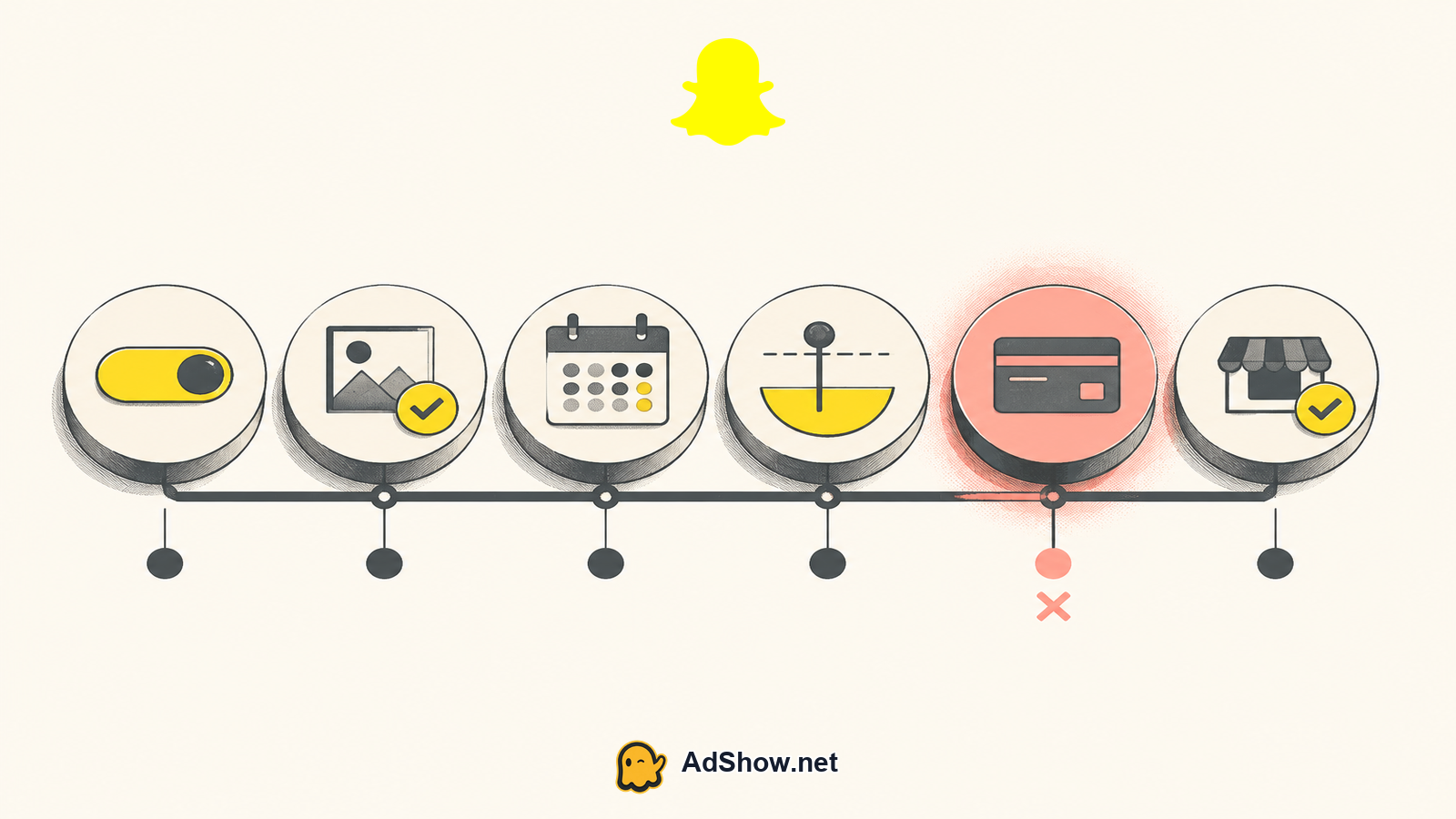
Once billing is documented, verify the ordinary delivery conditions in order. Confirm the start date has arrived, the end date has not passed, the campaign and ad are enabled, and the configured budget or spend cap is not preventing further delivery. Then check approval status, payment method, browser behavior and any catalog availability relevant to the campaign. Snapchat’s official checklist covers these categories; use it to compare the account’s actual state instead of guessing from impressions alone.
Confirm balance and funding availability
A failed payment and an empty or unavailable balance are related but not identical. A card or other payment source may fail authorization, while a prepaid or agency-funded account may simply have insufficient available balance for continued delivery. Check the balance’s status, currency, account assignment and whether any amount is reserved or unavailable. If you use an agency account, review the provider’s visible funding and issue-reporting information rather than assuming a top-up automatically changes Snapchat’s account status. AdShow’s explanation of agency advertising account prepaid balances can help clarify the funding layer, but Snapchat’s payment and advertising rules still control delivery.
Rule out policy or enforcement separately
Do not label every stopped campaign a billing failure. A platform policy decision can affect an ad, creative, account or business independently of a payment result. Look for an explicit rejection, restriction, disabled-account notice, identity or business verification request, or other enforcement message. Follow the review or appeal process presented by Snapchat and provide accurate information. Do not alter identity, open related accounts or change payment details to bypass enforcement. If no enforcement message exists, keep policy review as a separate hypothesis rather than inventing a policy cause from zero spend.
Harris Eugene’s operator note: Troubleshoot from the narrowest failed state outward. First preserve the exact billing message, then verify account eligibility, then inspect campaign, ad and creative status. This order prevents unnecessary campaign edits and makes a support request materially easier to investigate.
Document the issue before escalating
Create a short diagnostic record containing the advertising account identifier, campaign and ad identifiers, exact payment error, time and currency, available balance, account status, approval status, schedule, budget or cap, and any enforcement notice. Capture relevant screenshots without exposing full card numbers or other sensitive information. Note whether every campaign is affected or only one. This distinction helps separate an account-wide billing or enforcement issue from a campaign configuration problem.
If you need a compliant advertising-account option with visible offer and pricing context, review the Snapchat agency account details before requesting access or funding. Treat the account as a service layer—not a way around Snapchat review, billing controls or policy enforcement. review Snapchat agency advertising accounts
After the payment issue is corrected
Recheck the same states rather than assuming delivery has resumed: account enabled, campaign active, ad and creative approved, schedule current, budget available, payment state clear and balance usable. Allow the platform to reflect the corrected state without repeatedly duplicating campaigns. Snapchat describes Ads Manager as the place to create, manage and review campaign performance, so use its delivery and performance information to verify what changed rather than judging from a single refresh. For budget expectations, consult Snapchat’s official advertising pricing guidance, which explains the platform’s pricing and budget-control context. If the billing message remains, escalate with the diagnostic record; if billing clears but an enforcement notice remains, use the policy path instead.
Questions from recent advertiser discussions
Can a campaign be active when Snapchat Ads payment failed?
Yes. Campaign status and billing state are separate. A campaign may display as active while a failed charge, unavailable balance, account hold or rejected ad prevents delivery.
Should I create a new Snapchat campaign after a failed payment?
Usually not as a first step. Confirm the payment, account, balance, approval, schedule and policy states first. Duplicating a campaign does not resolve an account-level billing or enforcement issue.
Does adding a payment method guarantee that Snapchat ads will deliver?
No. A payment method can address one billing condition, but delivery also depends on account eligibility, available funding, approval, dates, budgets, catalog inputs and platform policy.
What should I send Snapchat support?
Provide the exact error, account and campaign identifiers, time of failure, balance and payment state, account and approval status, schedule, budget or cap, and any enforcement message. Remove sensitive payment details.
Sources and scope
Official documentation defines platform behavior. Recent community discussions are used only to illustrate reported symptoms and questions; they do not prove the cause of an individual account outcome.
Snapchat: why ads are not delivering — Official delivery checklist covering status, approval, dates, spend caps, payment methods, browser and catalog availability.
Snapchat: advertising pricing — Official advertiser pricing and budget-control context.
Snapchat: ads measurement — Official context that Ads Manager is used to create, manage and review campaign performance.