Taboola Ad Account Disabled? Separate Account, Campaign and Billing Status
A Taboola ad account disabled notice does not always describe the problem precisely. Separate account access, billing, rejected items and active-but-not-spending delivery before changing campaigns or opening another setup.

August 6, 2026
Table of contents
If your Taboola ad account is disabled, first determine whether the restriction is on the account, a billing state, a campaign or item, or delivery itself. Those conditions require different checks. An inaccessible account is not diagnosed by changing a thumbnail, and an active campaign with no spend is not automatically an account enforcement action. Save the exact notice, campaign status, billing state and recent changes before taking corrective action. Then change one relevant factor at a time so you can identify what actually altered the result.
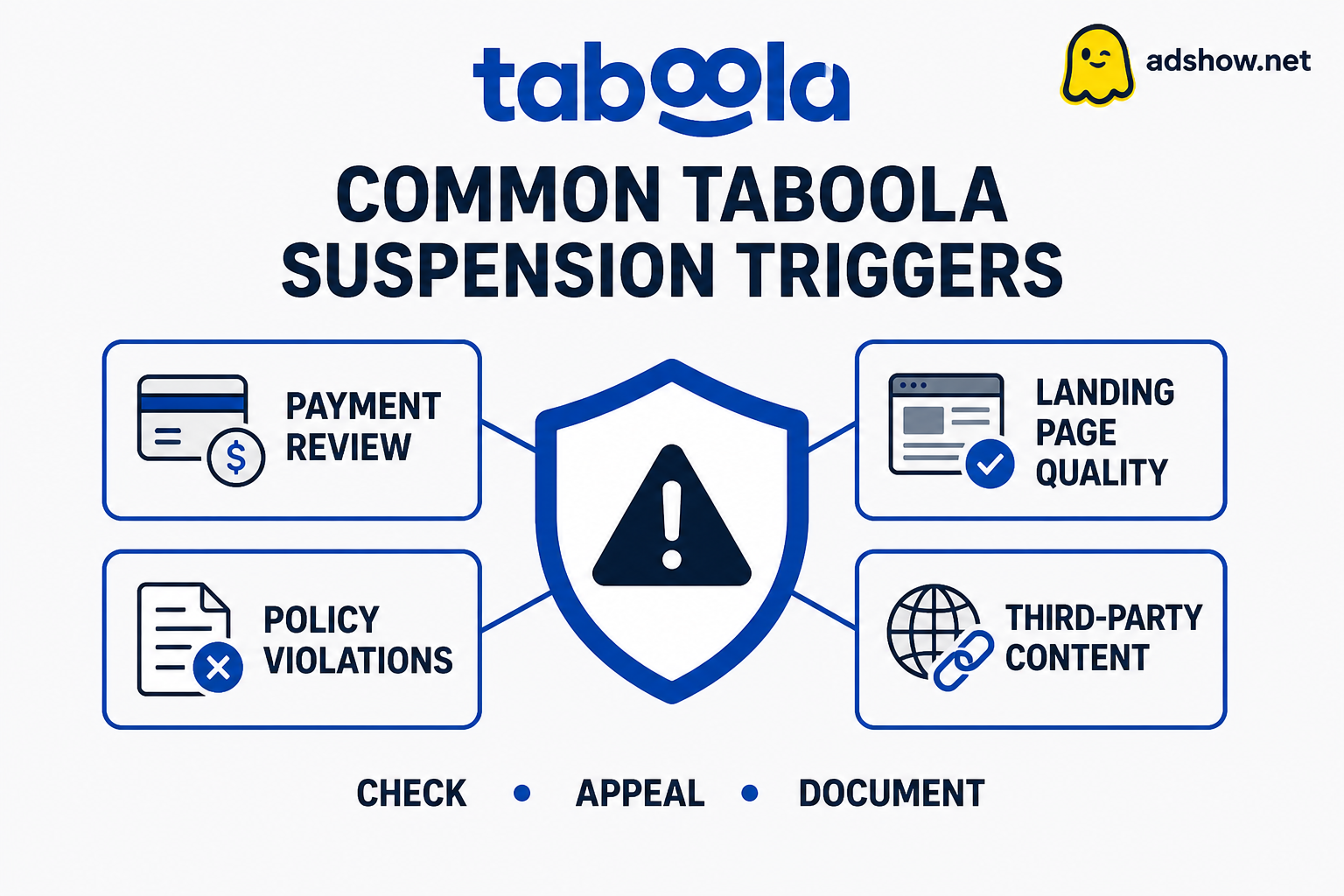
Start with a four-state status map
Use the status map below before writing support or rebuilding the campaign. The goal is to identify the narrowest affected layer, not to assume that every delivery problem is an account disablement.
Account inaccessible or disabled: You cannot use the account normally, or the platform displays an account-level restriction. Preserve the notice and account identifiers before making new changes.
Billing or frozen state: The account or campaign is held around payment, invoicing or payment-method review. Confirm the displayed balance, payment status and billing profile rather than editing creative.
Campaign or item rejected: The account remains accessible, but a campaign, ad, image, headline or destination has a rejection status. Work on the rejected component and its related landing page.
Active but not spending: The campaign is available, yet delivery is limited or absent. Inspect schedule, targeting, bids or budgets, audience size, inventory and approval status before calling it a disablement.
Harris Eugene’s operator note: Editorial judgment: diagnose access and billing before creative quality, then separate campaign approval from delivery. This order prevents an advertiser from making repeated content edits when the account cannot spend for an unrelated reason.
Build the first-hour evidence pack
The first review should create a factual record, not a theory. Capture the information while statuses and notices are still visible. Keep original versions of files and URLs so a later comparison shows exactly what changed.
Screenshot the account banner, error message, campaign status and item-level rejection text, including the date and account name shown.
Record whether you can log in, open the campaign, edit an item and view billing. Note the precise action that fails.
Save the campaign ID, item ID, destination URL, tracking URL, target GEO, schedule, budget and current delivery status.
Export or screenshot the billing page: outstanding balance, failed payment message, payment-method status and any recent invoice or transaction reference.
Archive the exact headline, image, advertorial or landing-page version currently under review, plus the page as it appears on mobile.
List changes made before the problem: domain, redirect, payment profile, business details, creative, targeting, budget or account permissions.
Keep one chronological log with the date, action, resulting status and any support case number.
If the account itself is inaccessible
An account-level problem is the highest-impact state, so avoid treating it as a campaign-editing exercise. Confirm whether the notice says disabled, deactivated, restricted, suspended, frozen or simply unavailable. The wording and the failed action matter. A login problem, a billing hold and an enforcement notice may look similar from a dashboard screenshot but lead to different evidence.
Before requesting review, keep the business identity, domain, payment information and contact details consistent with the account record. Do not create several new accounts, rotate unrelated domains or submit repeated messages while the original issue is unclear. Those actions make the operating history harder to explain. Prepare a concise request stating what happened, what remains accessible, what you corrected and which screenshots or URLs support each point. Do not describe a correction that has not actually been completed.
If billing or a frozen state is the blocker
Open billing before changing ads. Check for an overdue amount, failed payment, disputed transaction, payment-method mismatch or an account message that specifically refers to billing. Confirm that the payment profile belongs to the advertiser and that the account details are internally consistent. Keep the invoice, transaction reference and payment-status screenshots in the evidence pack.
Resolve the displayed billing issue through the available account process, then verify whether the campaign status changes. Do not assume that paying an amount guarantees reactivation, a refund or a particular review outcome. If billing is clear but the account remains inaccessible, record that distinction in the support request instead of resubmitting the same payment details repeatedly.
If a campaign or item was rejected
A rejected campaign item is narrower than a disabled account. Read the rejection at the smallest available level: campaign, ad, image, headline, video or destination. Inspect the entire click path, not only the ad. Confirm that the headline describes the destination, the page loads reliably, commercial terms are visible where relevant, the advertiser identity is understandable and redirects do not lead to an unrelated offer.
Use the specific rejection reason to decide the edit. If the problem is an unsupported claim, remove or substantiate the claim rather than swapping a single word while preserving the same promise. If the destination is the issue, repair the page and review every linked or embedded element. Do not resubmit an unchanged item simply to test whether the decision disappears. For a practical review-layer workflow, see how to fix a rejected Taboola campaign.
Official Taboola guidance distinguishes rejection scopes and provides a correction and resubmission workflow. It also describes campaign quality ratings, which is useful context when a campaign has quality or delivery limitations without an account-level disablement.
If the account is active but not spending
An active account with no spend needs a delivery diagnosis. Confirm that the campaign and items are approved, the schedule is live, the budget is available and the target audience and GEO are not overly narrow. Then review bids, pacing, inventory, frequency controls, placement settings and tracking or redirect behavior. Make a note of whether the campaign has had any impressions, clicks or spend; zero delivery and reduced delivery are different cases.
Do not respond to a delivery problem by opening a replacement account. First isolate the setting most likely to limit delivery and change only that setting. Wait for the dashboard to reflect the change before testing another variable. If the account is accessible and approved but still does not spend, this guide may help you work through the separate delivery problem: Taboola campaign active but not spending.
Use a one-change-at-a-time correction flow
Label the state: account access, billing, rejection or delivery. Write down the evidence supporting that label.
Freeze unrelated changes. Do not edit the domain, payment profile, audience and creative together.
Choose one correction that directly matches the evidence. Examples include repairing a broken destination, removing an unsupported claim, correcting a billing detail or widening a delivery constraint.
Save the before-and-after version, including the URL, creative text, status and timestamp.
Check the same status again. If it changes, record the relationship without claiming that the change alone caused the outcome unless the evidence supports that conclusion.
If the status does not change, review the next layer rather than repeating the same submission. Escalate with one clear message containing the account ID, campaign or item ID, exact notice and completed corrections.
Keep the business identity and operating details consistent while the issue is under review. A new setup should not be used to evade an unresolved restriction.
Choose the next operating path
Once the status is identified, choose the smallest appropriate next step. An account-level notice calls for an evidence-based review request. A billing state calls for billing verification. A rejected item calls for a targeted campaign and destination correction. Active-but-not-spending delivery calls for controlled settings tests. These paths should not be blended into one generic appeal.
If you need a separate operational setup for an eligible, policy-compliant campaign after diagnosis, review the Taboola agency-account option in the AdShow self-service dashboard. You can compare the available setup, submit the required account details, review permissions and billing information, and manage the request from the dashboard. Check the accepted vertical, GEO, payment process and account terms before launching; this workflow is not an appeal, refund request or way to bypass a platform decision. review Taboola agency accounts
Common advertiser questions
Does a rejected Taboola ad mean the whole account is disabled?
No. A rejection may apply to a campaign item or destination while the account remains accessible. Check the account banner and login state separately from the campaign and item status.
Should I create another account when delivery stops?
Not as a first diagnostic step. Confirm whether the account is active, whether billing is clear and whether the campaign or items are approved. Creating multiple setups before understanding the original status can make the account history harder to explain.
What should I include in a review request?
Include the account and campaign identifiers, the exact notice, the affected URL, the relevant screenshots, the diagnosed cause and the corrections already completed. Keep one request factual and avoid claiming results or approvals that have not occurred.
Can changing a headline fix an account-level disablement?
Usually, a headline edit addresses only a creative or item layer. If the account is inaccessible or billing is frozen, diagnose that layer first. If the rejection identifies a headline claim, change the claim and review the destination before resubmission.
Sources and scope
Official documentation defines platform status and policy. This guide provides an operational diagnostic order; it cannot determine the cause or outcome of an individual account review.
Taboola: fix a rejected campaign or item — Official correction and resubmission workflow for rejected campaign items.
Taboola campaign and item rejection reasons — Official rejection scopes and reason categories.
Taboola campaign quality ratings — Official campaign quality-rating definitions; not every delivery problem is an account disablement.